If you're looking for time tracking software for SMEs that's simple, legal, and affordable, TalentoHQ makes it easy: the Time Tracking plan costs 55€/year with 5 users included, with clear per-user pricing as your team grows. Below we explain why it's the most complete option and how to get it up and running in less than 10 minutes.
1) Why your SME needs time tracking software
For years now, in Spain (and increasingly across the EU), it has been mandatory to record the working hours of all staff, including remote workers and part-time contracts. Beyond avoiding fines, having a good system gives you very tangible benefits:
- Legal compliance without headaches: reports ready for an inspection, organized and auditable records.
- Real productivity: you can see hours worked, peak workloads, and downtime to improve planning.
- Transparency: objective records reduce misunderstandings and improve team trust.
- Time savings: say goodbye to spreadsheets and paper timesheets; centralize everything in the cloud.
- Cost control: identify overtime, absenteeism, and deviations by shift or project.
- Flexibility: clock in from mobile, web, or kiosk, ideal for retail, workshops, hospitality, or hybrid teams.
And yes: as you grow, time tracking goes from being a formality to becoming a real management advantage.
2) What good time tracking software for SMEs should have
The goal isn't to clock in for the sake of it, but to clock in properly and make the data useful for decisions.
Must-haves:
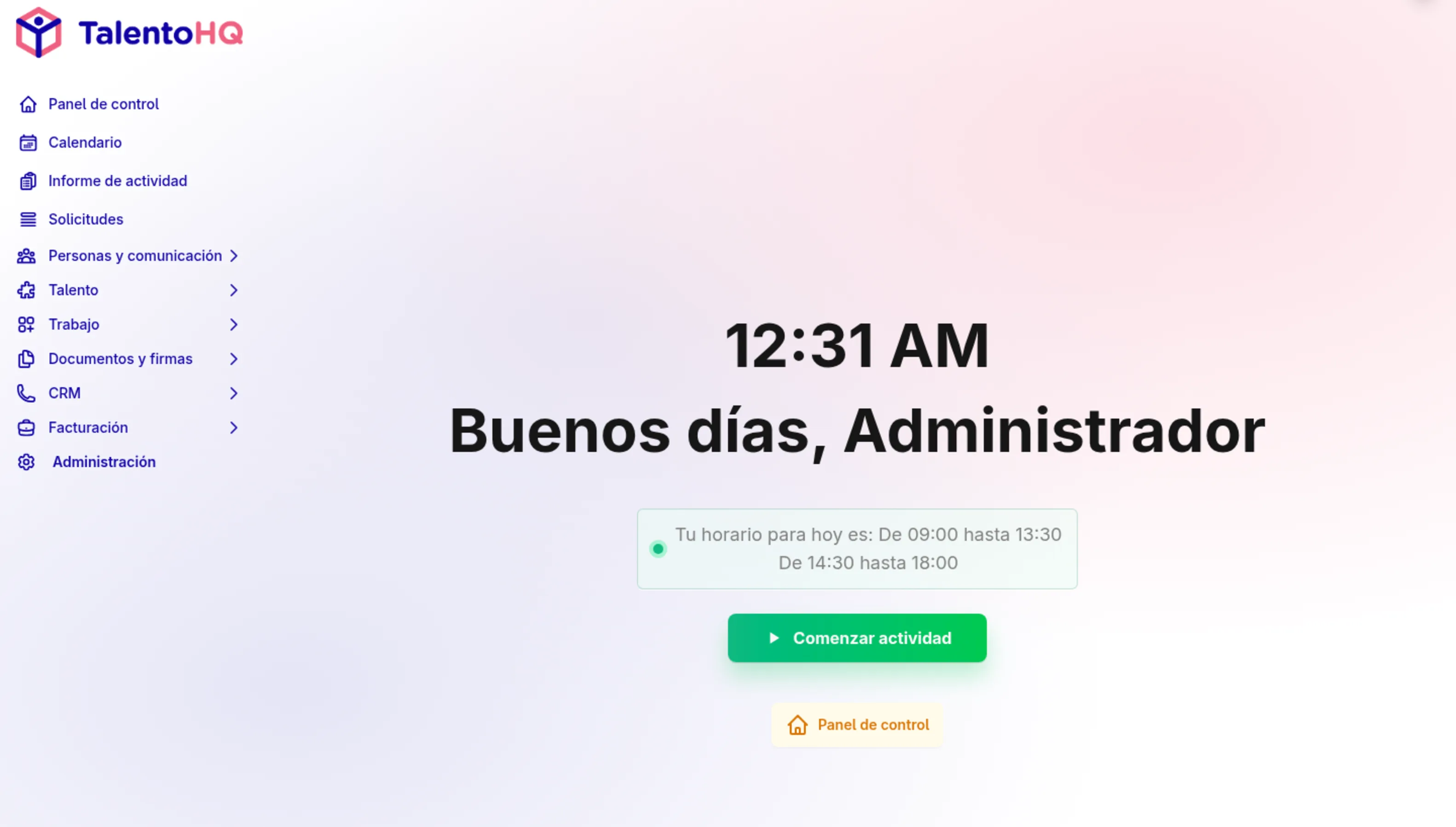
- Multi-device clocking: mobile (iOS/Android), browser, and kiosk/tablet mode at reception or warehouse.
- Geolocation and/or IP restriction optional for remote clocking (with consent and legitimate purpose).
- Workday calculation (full-time, part-time, compressed hours) and overtime with configurable rules.
- Vacation and absence management integrated with calendar and approvals.
- Shift planning (rotating, on-call, backup) with drag and drop.
- Reports and exports (PDF/CSV/Excel) by employee, team, location, project, or client.
- Traceability and auditing: who changes what and when; versioning.
- Security and privacy: encryption, access controls, GDPR, and EU hosting.
- Support and quick onboarding.
- Clear pricing with no surprises or hidden modules.
Highly recommended:
- Break and rest tracking.
- Offline clocking (no coverage) with automatic sync.
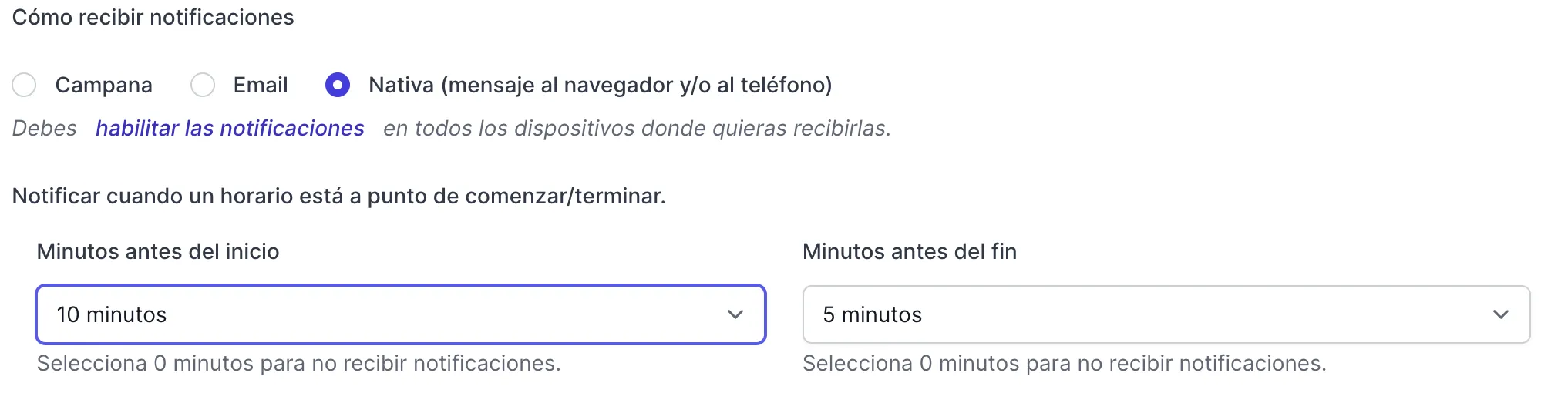
- Smart notifications (forgotten clock-ins, shifts, approved vacations).
- Integrations with payroll, SSO, and productivity suites.
- Roles and permissions by hierarchy (managers, HR, leadership).
- API for automating processes.
3) Quick comparison: Spreadsheet vs. biometric machine vs. software
| Option | Initial cost | Compliance | Flexibility | Reports | Scalability |
|---|---|---|---|---|---|
| Spreadsheet/templates | Low | High risk of errors and lack of traceability | Low (no mobile) | Manual and slow | Poor: breaks as you grow |
| Biometric terminal | Medium-High | Acceptable, but watch out for privacy | Low (fixed on-site) | Limited | Medium: investment per site |
| Cloud software | Low-Medium (subscription) | High: history, auditing, signatures | High (mobile, web, kiosk) | High (filters, export, dashboards) | High: pay per use |
Conclusion: For an SME, cloud software is the perfect balance between compliance, cost, and speed of implementation.
4) How to choose your time tracking software for SMEs (without the hassle)
- List your requirements: work schedule types, locations, remote work, shifts, language.
- Define your key metrics: overtime, absenteeism, cost per project, shift coverage.
- Trial for 7-14 days: request a demo and set up a pilot team.
- Measure the impact: time you save, incidents resolved, data quality.
- Evaluate support: speed and clarity; make sure they speak your language.
- Review the contract: GDPR, data processing, and server location.
Tip: choose all-in-one solutions to avoid forced integrations between time tracking, shifts, and vacations.
5) TalentoHQ: the best time tracking software for SMEs (and much more)
TalentoHQ is the only HR solution where everything is included: no confusing plans, no restricted modules. You pay per active user and that's it. Perfect for SMEs that need simplicity, clear pricing, and real power.
5.1 Simple (and robust) time tracking
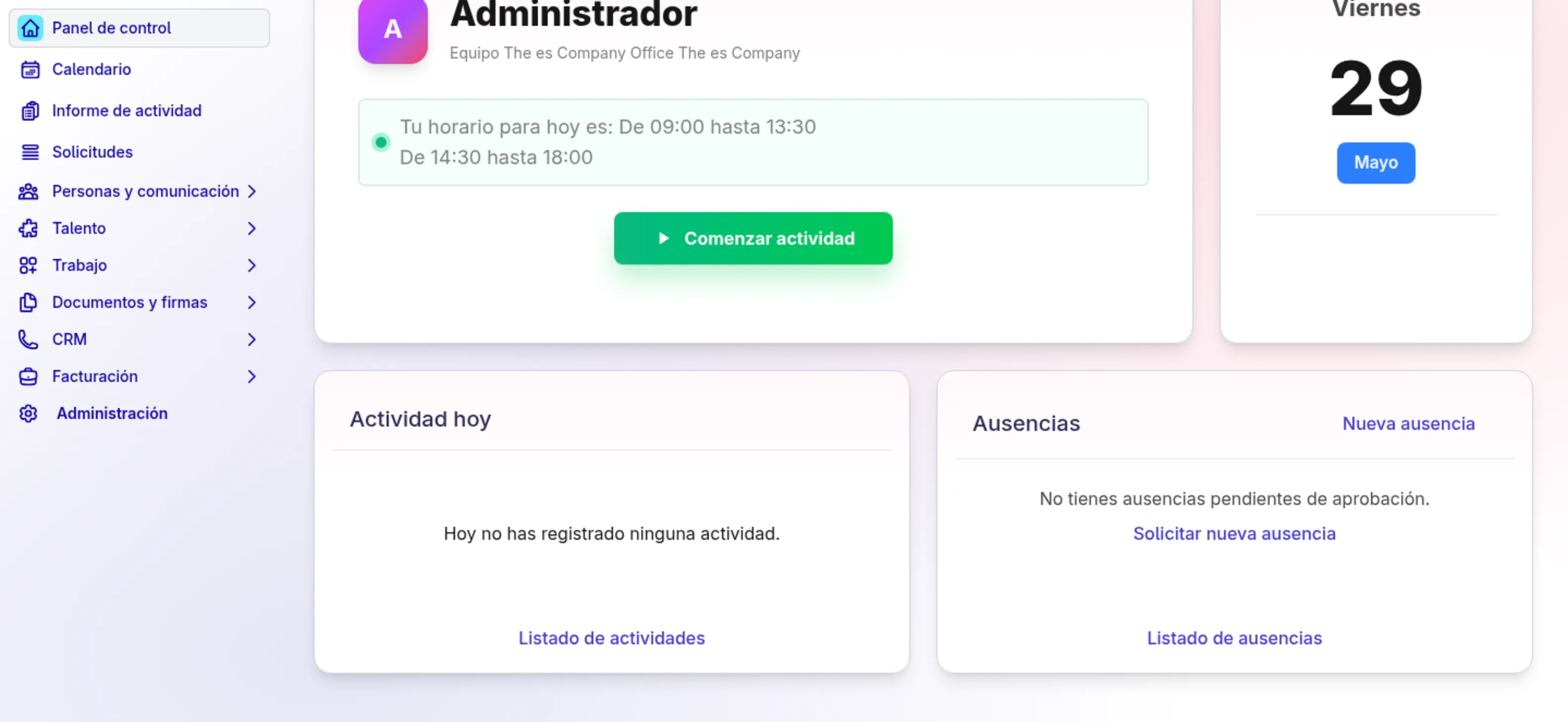
- Clock in from mobile, web, and kiosk.
- Geolocation optional and rules by IP/location.
- Break tracking, incident logging, and absence justifications.
- Workdays and overtime calculated automatically.
- Digital signatures for workday summaries.
5.2 Integrated vacations and absences
- Requests with approval workflows and team visibility.
- Shared calendar (avoid critical overlaps in store/production).
- Policies by seniority, collective agreement, or location.
5.3 Shifts and planning
- Rotating shifts, nights, weekends, and seasonal reinforcements.
- Reusable templates and quick changes with drag & drop.
- Visual coverage: who's missing, who overlaps, who can cover.
5.4 Real human resources
- Contracts and documents with electronic signature.
- Onboarding/offboarding customized with checklists.
- Training and skills, evaluations, and feedback.
- Employee portal and internal communications.
- Ethics/whistleblowing channel for regulatory compliance.
- Expenses and projects: track time and understand costs.
5.5 Reports, compliance, and GDPR
- Clear dashboards, exports to PDF/CSV/Excel.
- Change traceability and auditable history.
- Data hosted in the EU, encryption, and access controls.
Summary: with TalentoHQ you cover time tracking + shifts + vacations + HR in a single platform. Fewer tools, less hassle.
6) Current pricing for small businesses
Because we know every penny counts when you're starting out, Time Tracking keeps a simple entry point:
- Annual base price: 55€/year with 5 users included.
- Additional users: 1.5€/user/month with monthly billing or 1€/user/month with annual billing.
Yes, you read that right: no hidden costs, clear limits, no fine print.
Get started here: talentohq.com
**7) Up and running in 10 minutes**
- Create your account and set up your company.
- Import employees (CSV/Excel or manual entry).
- Define workdays and calendars (business days, holidays, reduced summer hours).
- Enable the clocking methods you'll use (mobile/web/kiosk).
- Create your teams and managers with permissions.
- Set up vacation and absence policies.
- Publish shifts (if applicable) and send invitations.
- Communicate to the team: where and how to clock in.
- Review reports the first week (incidents, missed clock-ins, overtime).
- Sign your first monthly workday report.
Bonus: schedule alerts for missed clock-ins and overtime limits.
8) Use cases by industry
Hospitality and food service
Changing shifts, weekend reinforcements, and seasonal peaks. With TalentoHQ:
- Plan rotations in minutes.
- Track overtime and night shifts.
- Avoid overlaps and cover absences quickly.
Retail and commerce
Staff by store, seasonal reinforcements, and split shifts.
- Visibility by location and by team.
- Kiosk clocking in store + app for managers.
- Dashboards by sales/time.
Construction and field services
Mobile teams, on-site/client, mobile clocking with location.
- Optional geolocation and work notes.
- Time allocation to project/client.
- Reports by site and certifications.
Offices, agencies, and firms
Remote/hybrid work, projects, and workload tracking.
- Clock in from web or app.
- Hours by project and contract limits.
- Profitability reports.
9) Common mistakes (and how to avoid them)
- Thinking a spreadsheet is enough: as soon as you have shifts, remote work, or multiple locations, it falls apart.
- Not explaining the "why": explain the benefits for everyone (transparency, order, work-life balance).
- Not training the manager: spend 30 minutes properly setting up permissions and policies. We'll be happy to help.
- Forgetting about auditing: if there's no traceable history, you'll be in trouble during an inspection.
- Forcing unrealistic clock-ins: if your team is on the road, they need mobile and clear rules.
10) Frequently asked questions about time tracking for SMEs
Is time tracking mandatory for SMEs?
Yes, workday recording applies to all companies and workers, regardless of their size or work arrangement (including remote work and part-time).
Can you clock in from your phone?
Yes. With TalentoHQ, mobile clocking is fast and, if you want, you can optionally enable geolocation or IP-based restrictions, with proper employee notification.
How is overtime managed?
Define rules based on your company policy or collective agreement; TalentoHQ calculates and reflects overtime, breaks, and compensations. You can require justification and approval.
What about breaks and rest periods?
You can record them. The system distinguishes between breaks within/outside working hours if you configure it that way.
What about data protection?
TalentoHQ is ready for GDPR: data minimization, access controls, traceability, and EU hosting.
How long does it take to implement?
With our quick guide, in 10 minutes you'll have the essentials, and in an afternoon, everything polished.
Do I need to buy clocking machines?
No. You can use the app, web, or a tablet at reception as a kiosk.
11) Team communication template (copy and paste)
Subject: New time tracking system
Hi, starting Monday we'll be using TalentoHQ to record working hours. You'll be able to clock in from your phone or from your computer.
- Access it through your email invitation.
- Clock in when you start and when you finish, and log breaks if applicable.
- Any questions, reach out to HR.
Thanks for your cooperation.
12) Why TalentoHQ is an especially good fit for SMEs
- Everything included: no modules or complicated plans; you pay per active user.
- Transparent pricing: you know exactly what it costs each month; for very small teams, the annual offer takes away the fear of trying it out.
- Scales with you: what's time tracking today will be shifts, vacations, contracts, evaluations tomorrow... without switching tools.
- Close support: we speak your language, no endless tickets.
Try it now
- Create your account in minutes.
- Invite your pilot team.
- See the time savings in the first month.
Get started today at talentohq.com
13) Conclusion: from clocking in to full control
Choosing time tracking software for SMEs isn't about clocking in for the sake of it. It's about organizing your business, gaining visibility, and making better decisions. With TalentoHQ you'll have a single platform for time tracking, shifts, vacations, and HR, with clear pricing and an unbeatable offer for small teams.
Ready to take the step? TalentoHQ is waiting for you so thattime finally works in your favor.