Expense receipts often arrive late, become difficult to read or need information to be entered twice. Capturing the document when the expense occurs gives employees, approvers and administration one record to review.
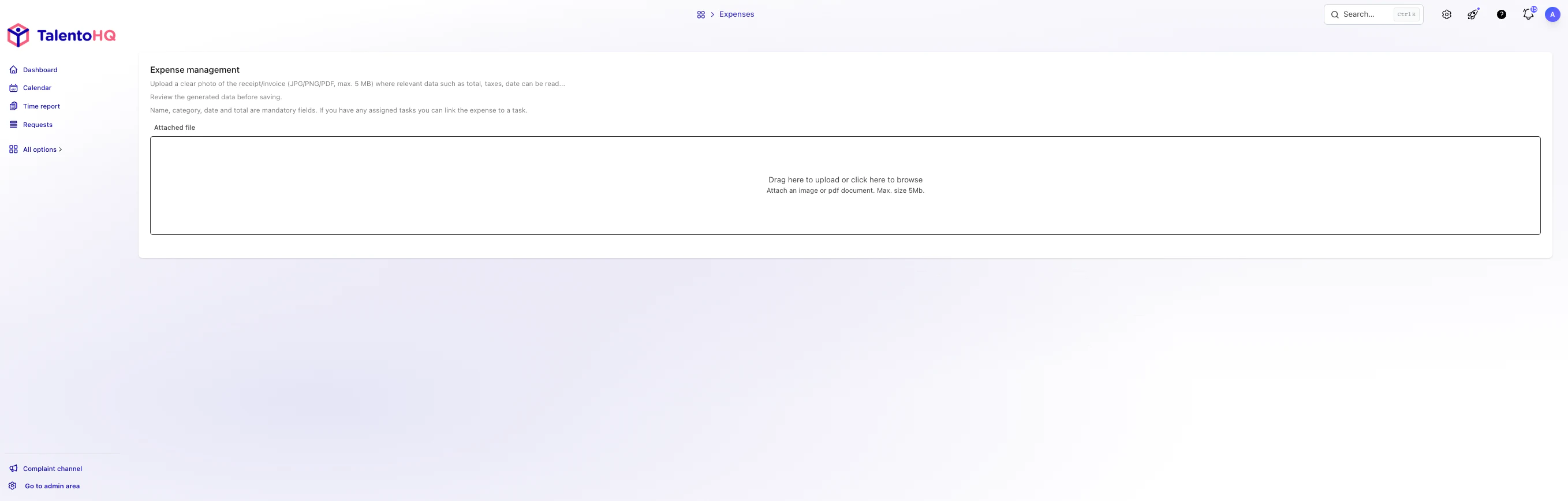
This article explains where manual expense handling loses context and how assisted data extraction can prepare a record for review. The employee and approver remain responsible for checking the amount, date, supplier, taxes and category before the expense is accepted.
Why manual expense management is still a problem
Managing company expenses manually seems simple until the receipts pile up at the end of the month. The most common problems are well known, but few companies quantify their real impact.
- Lost receipts. Thermal paper fades over time and receipts end up crumpled, illegible, or outright missing. When the tax authority requests them, they're no longer there.
- Transcription errors. An extra zero in the amount, a miscalculated tax, or an incorrect accounting category multiply the review work and can create tax issues.
- Accumulation and delays. Leaving expenses for "later" is the norm. The result: dozens of pending receipts that overwhelm the administration department at monthly closings.
- Lack of traceability. When the receipt, category and approval are kept in different places, reconstructing the history of an expense becomes harder.
The real cost isn't just the time spent typing data. It's also the opportunity cost: hours the administration team could dedicate to higher-value tasks, like financial analysis or budget planning.
The alternative: automatic capture with artificial intelligence
Optical character recognition (OCR) assisted by artificial intelligence can identify fields such as supplier, amount, tax and date from a receipt. The result is a prepared expense record, not a guaranteed accounting entry: image quality, document format and unusual layouts can affect extraction.
This type of automation isn't exclusive to large companies with specialized IT departments. Today any SME can access these tools through business management platforms that integrate OCR as part of their standard functionality.
How automatic receipt upload works in TalentoHQ
The TalentoHQ expense management module connects assisted capture with the existing review process:
- The employee takes a photo of the receipt from the mobile app or uploads the PDF if received by email.
- The assisted-reading service proposes available fields such as supplier, tax ID, amount, taxable base, tax, date and invoice number.
- The employee reviews the proposed information, corrects any extraction error and submits the expense.
- The supporting document remains linked to the expense for the approver to review.
The workflow accepts common image and PDF formats. Results vary with document quality and language, so the person submitting the expense should always review the extracted information. To test the process with representative receipts, you can book a demo.
Key features of the expense module
- Assisted capture. The employee photographs the receipt and the system proposes fields such as supplier, tax ID, amounts and date for review.
- Instant reporting from your phone. Any expense can be recorded on the spot, from anywhere. No more accumulating receipts until the end of the month.
- Linked supporting document. Each expense keeps its original image or PDF with the record used during approval.
- Category review. The employee or reviewer confirms the category used for reporting and bookkeeping.
- Integrated approval workflows. The expense follows the approval circuit defined in your organization's hierarchy within TalentoHQ, with no need for emails or parallel spreadsheets.
- Limits by project and category. You can set spending caps by project, team, or category to maintain budget control at all times.
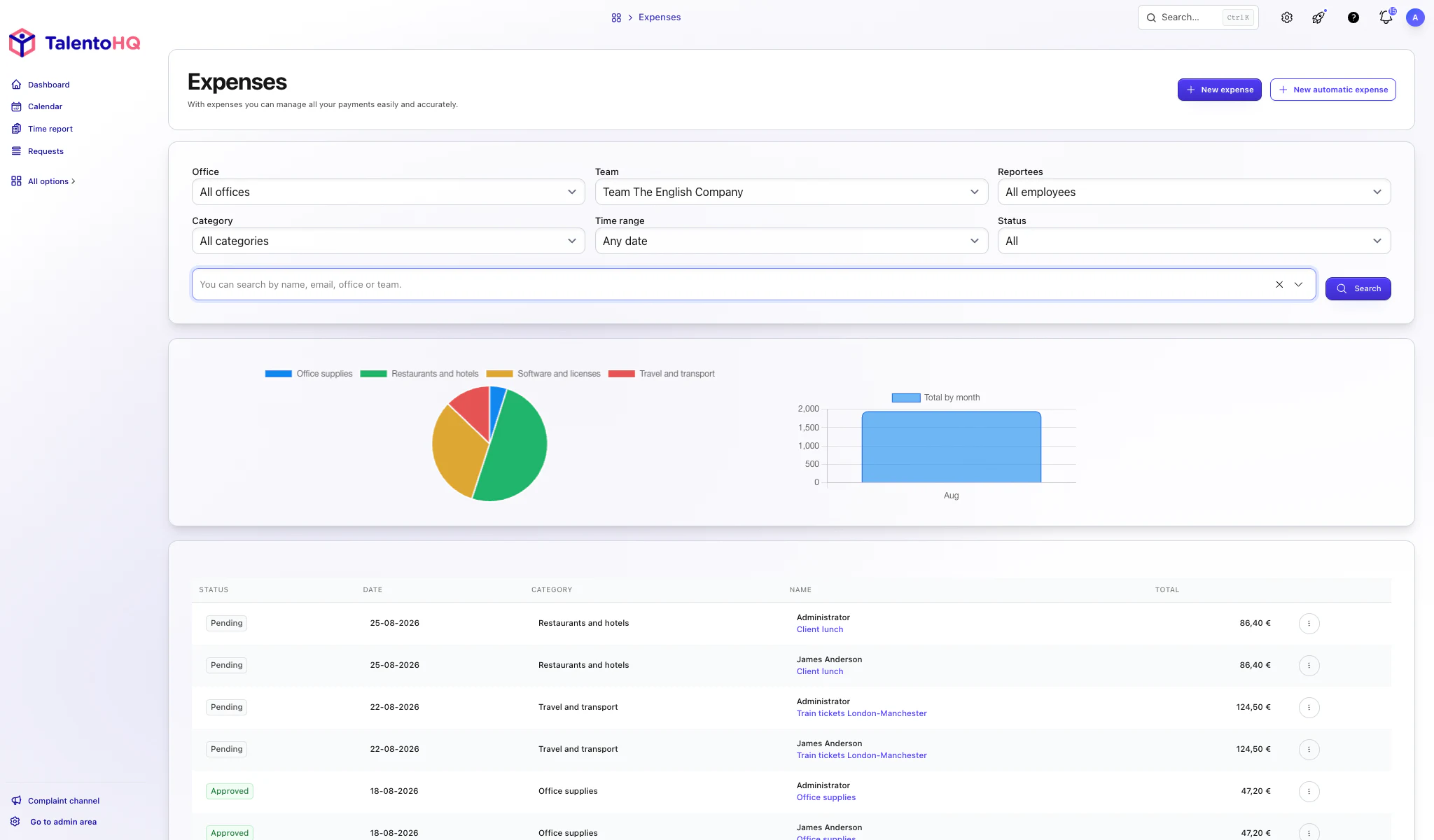
Benefits for the team and the company
Automating expense management has a direct impact on both daily operations and the quality of available financial information.
- Less repeated entry. Assisted extraction prepares common fields while leaving the employee in control of the review.
- Earlier correction. Missing or incorrect data can be resolved before the expense reaches the final approval stage.
- Clearer closing. Administration can distinguish pending, correction-required and approved expenses from one view.
- Connected evidence. Receipts remain with the corresponding expense record; the company still applies its own tax and document-retention requirements.
- Real-time visibility. Managers can check expense trends by project, team, or period without waiting for the accounting close.
Included in All-Inclusive
Expense management is part of TalentoHQ's All-Inclusive plan: 2 euros per user per month with annual billing or 3 euros with monthly billing. Review the current pricing page for plan details and conditions.
Conclusion
Assisted reading reduces repeated data entry while preserving the review that a reliable expense record needs. The useful outcome is a receipt, proposed fields, corrections, approval status and project context held together.