Project and goal boards
Manage ordered groups and draggable tasks within the spaces a user can access.
Break projects and goals into tasks with owners, dates, progress, comments, and action lists. Keep the time logged and expenses incurred connected to the relevant task.
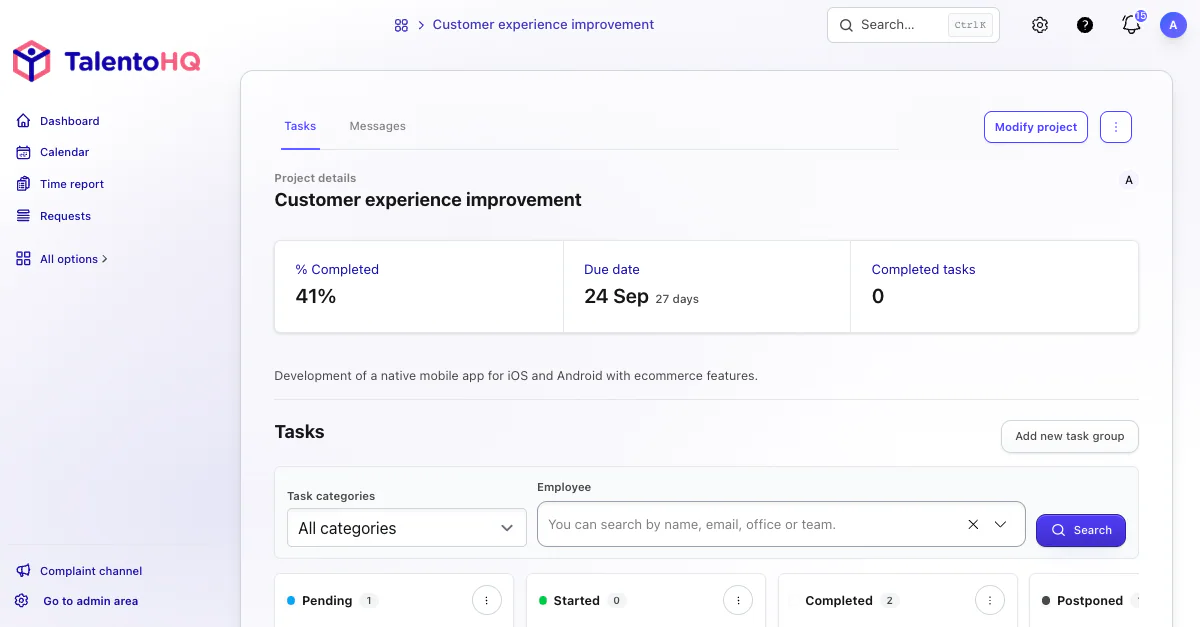
From goal to task
Tasks live inside the projects or goals that provide their context. TalentoHQ keeps groups, categories, owners, dates, progress, and activity connected to that original work.
Create groups, categories, and cards with a name, dates, progress, estimated cost, and description.
Add employees who can access the work, comments, files, and notifications.
Record actions, time, expenses, and progress updates in the task detail.
The feature connects the board, task detail, checklist, activity, expenses, and categories for practical day-to-day follow-up.
Manage ordered groups and draggable tasks within the spaces a user can access.
Name, category, tags, dates, progress, estimated hours, estimated cost, and description.
Assign employees who have access to the space and notify them from the task.
Create internal steps that can be due, edited, deleted, completed, and reordered.
Record time with an employee, date, start, finish, and total hours.
Link costs with an employee, category, date, amount, reference, and files.
AI integration
TalentoHQ can answer natural-language questions about assigned tasks and pending actions. Managers and teams can prepare the day, review blockers, and arrive at a meeting with the right context. AI does not replace the board; it provides a faster way to find what needs attention and which concrete steps remain.
“Show me the tasks assigned to Marta this week.”
“Summarize the pending actions in the new-shift rollout task.”
“Before our daily meeting, tell me which tasks are still open and what remains to be done.”
The board shows the state of the work, while the task detail keeps its discussion, actions, time, and expenses.
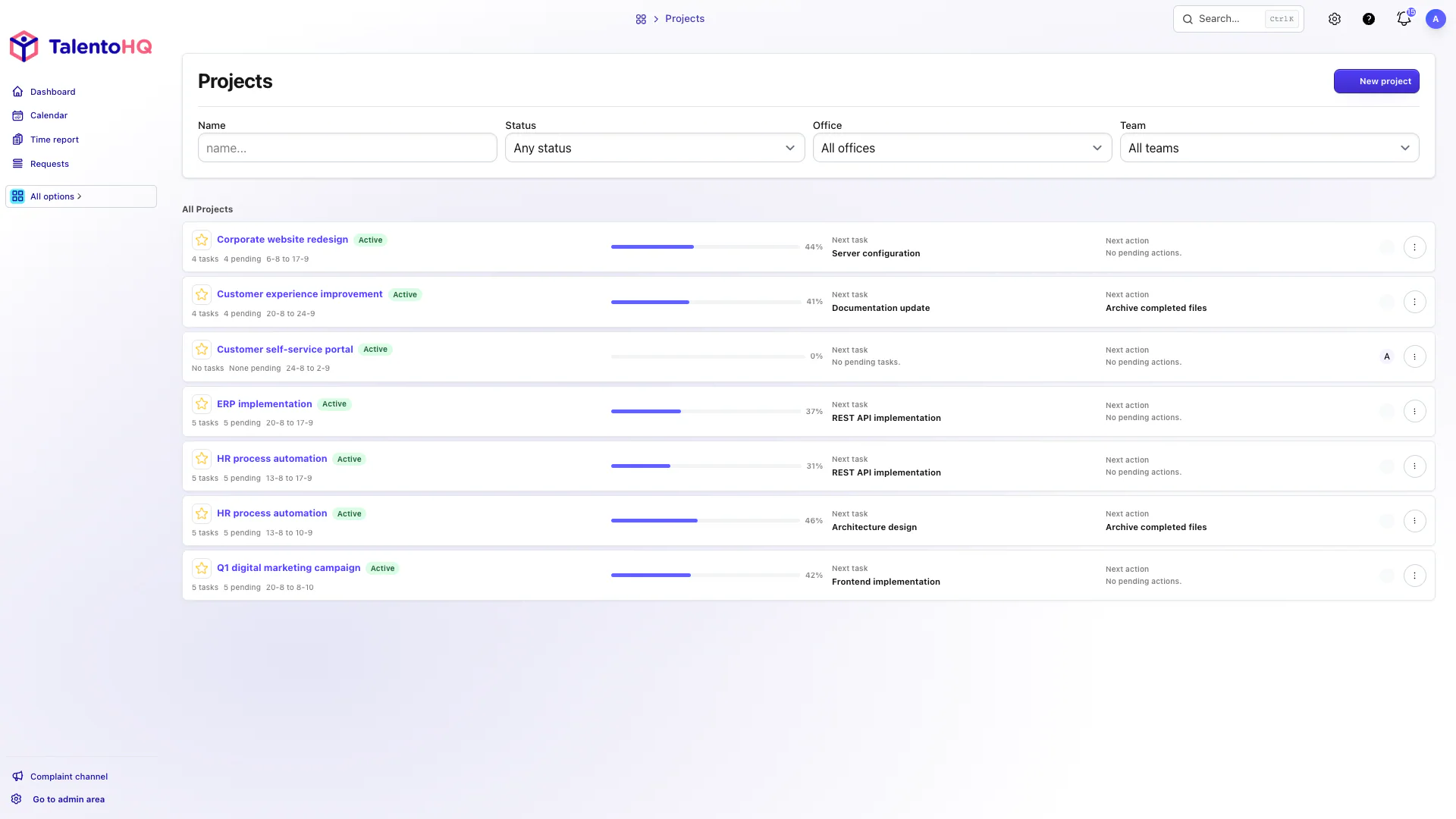
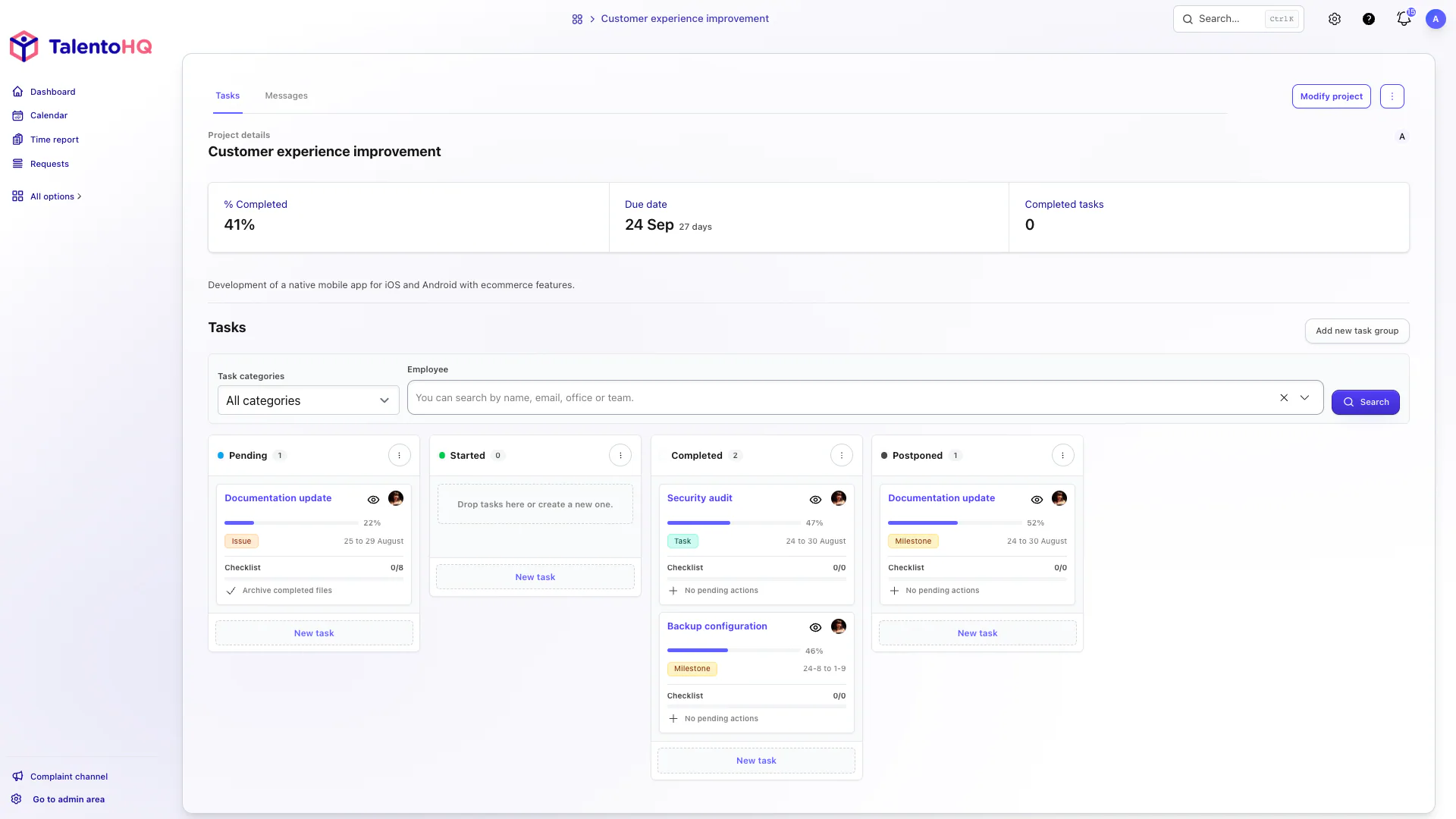
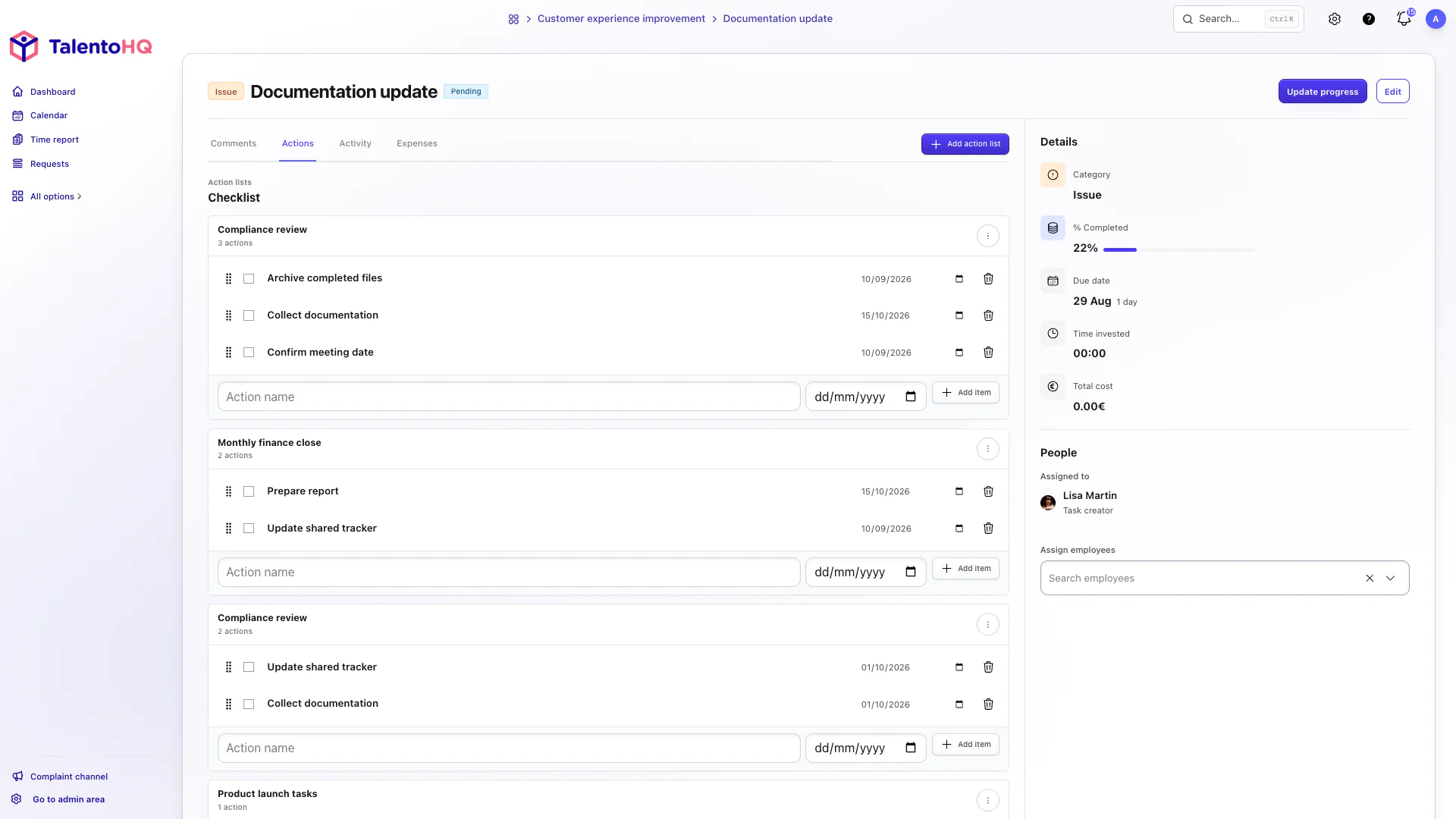
Coordinated work
Tasks bring together the context a team needs to move forward: ownership, dates, progress, conversations, actions, time, and expenses.
Explore goals and OKRsFrequently asked questions
No. Tasks live inside a project or goal so they retain their context, dates, and permissions.
Yes. The task detail includes tabs for related activity and expenses.
The admin area manages task categories. Individual tasks are managed on the main project and goal boards.
Task management is included in All-Inclusive: €2 per user/month annually, or €3 monthly.
Yes. The trial does not require a credit card. Contact us if you have questions.
Try TalentoHQ with your team or contact us to see how boards, tasks, action lists, and follow-up fit together.