Search and filters
Review pinned and general goals and filter by name, status, office, and team.
Create personal, team, or company goals, assign owners and metrics, and record actions, comments, and progress updates with defined permissions.
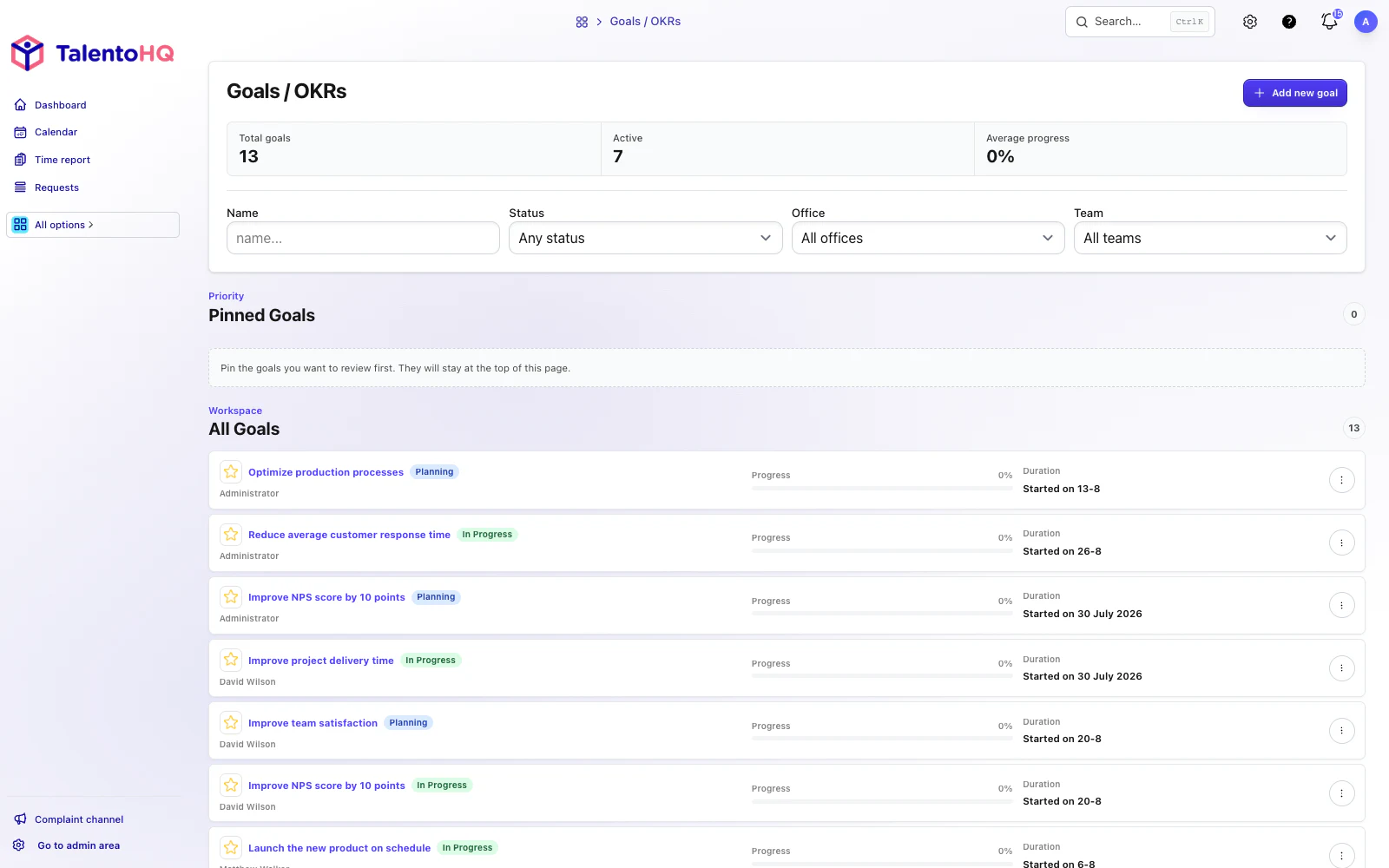
From goal to action
TalentoHQ connects the goal definition, metrics, comments, and related tasks so the team can understand progress in context and prepare conversations, priorities, and next steps.
Add a name, dates, status, metrics, optional progress target, rich description, and visibility.
Record progress against a metric with a completion percentage and explanatory comment.
Add conversations, action lists, and recurring reminders where appropriate.
Core features
Employees, managers, and administrators each see the goals available to them and only the actions their role permits.
Review pinned and general goals and filter by name, status, office, and team.
Create goals with dates, status, metrics, a progress target, and a rich description.
Turn each goal into task lists and concrete actions connected to progress.
Use messages to keep a conversation with the people who can view the goal.
Request periodic updates for active goals that have a reporting frequency.
Review percentage, target, dates, status, and the trend created from metric updates.
Product in context
Goals, updates, and actions remain in TalentoHQ alongside other HR processes. Active dated goals can also appear as full-day calendar events for people with visibility.
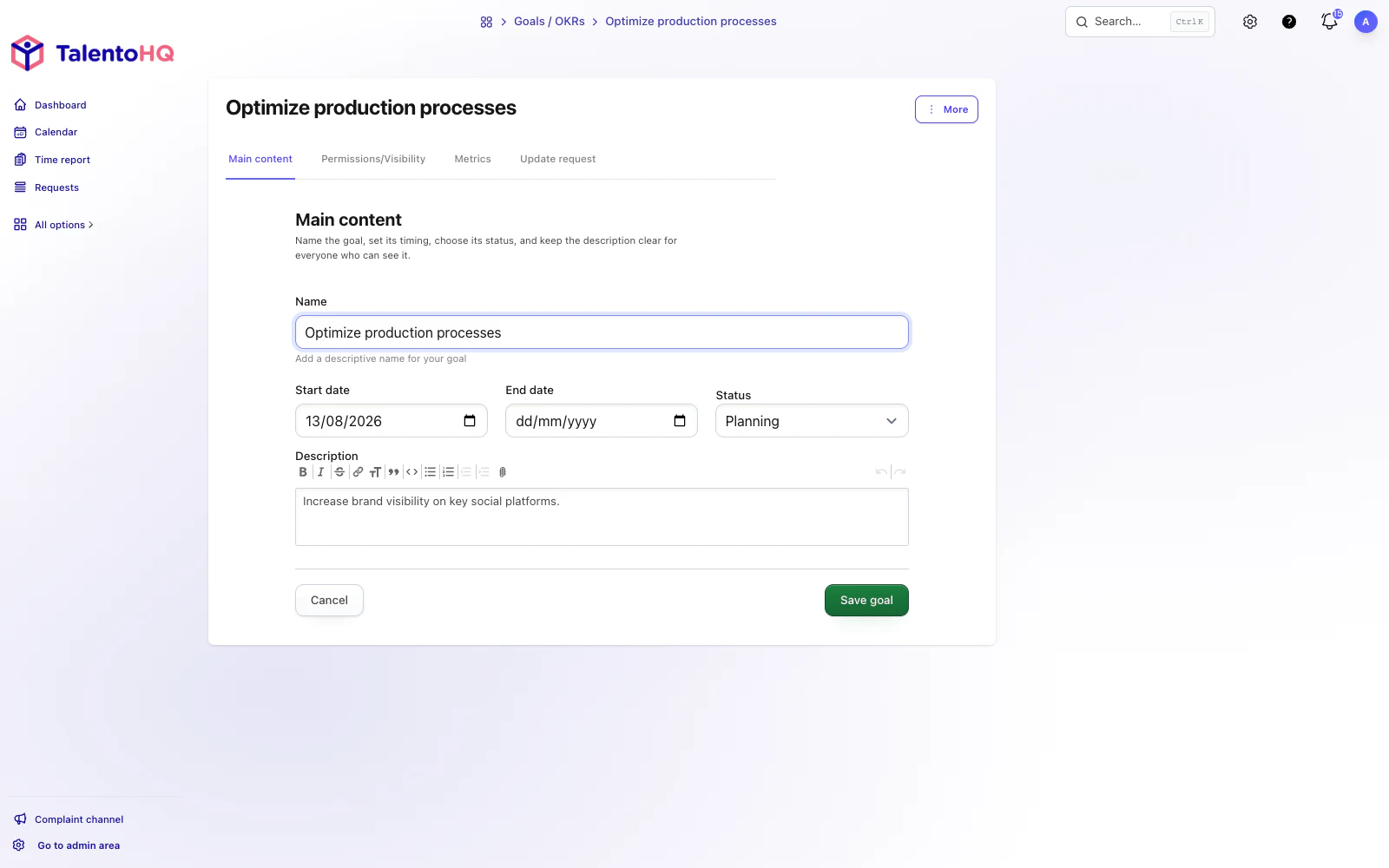
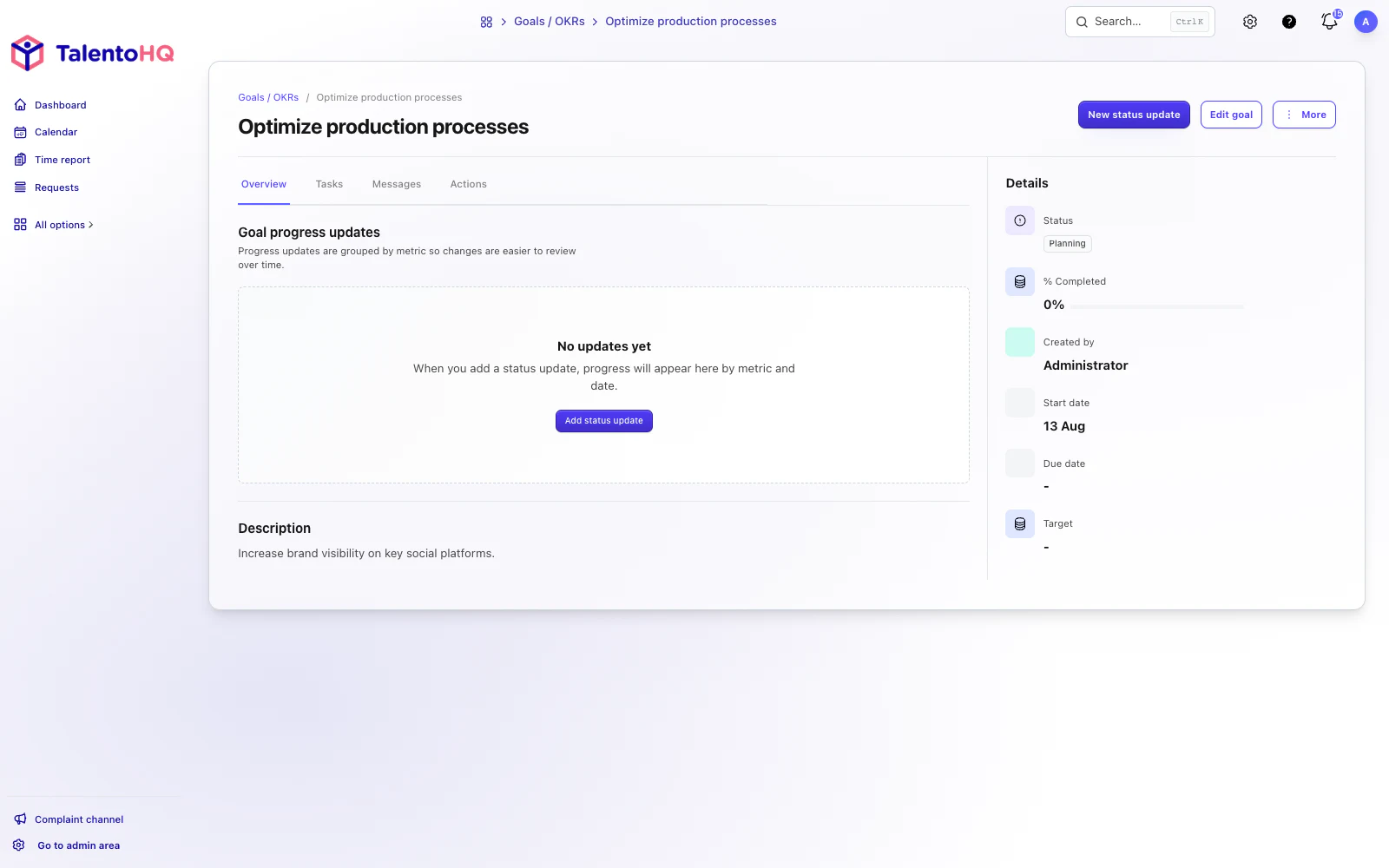
Employees and managers
Employees can see the expected result, timing, status, and next actions. Managers get enough context to prepare conversations, review progress, and identify blockers before work stalls.
Explore talent managementFrequently asked questions
TalentoHQ provides measurable goals with a name, dates, status, metrics, progress target, and updates. Companies can use that structure for objectives and key results.
Only people with creation or management permission can create, edit, or delete goals. Owners, administrators, and permitted managers manage the goals within their scope.
No. Visibility and permission rules determine each employee's goals. Scope can be set for people, teams, offices, roles, or a broader audience where appropriate.
Yes. Active goals can request recurring updates when a reporting frequency is configured. Reminders go to people who can view the goal.
Goals are included in All-Inclusive: €2 per user/month annually, or €3 monthly.
AI integration
Use natural-language instructions to create goals with dates and metrics, review progress by team or office, and add progress updates without losing context. The result remains measurable, visible to the right people, and connected to daily follow-up.
“Create a quarterly goal to improve punctuality in the warehouse team, with a weekly metric and closing date.”
“Show the active goals for the Madrid sales team and summarize which ones need an update.”
“Add 60% progress to the response-time goal and include this comment for the next one-to-one.”
Try TalentoHQ with your team or contact us to see how goals, talent, projects, and calendars fit your way of working.