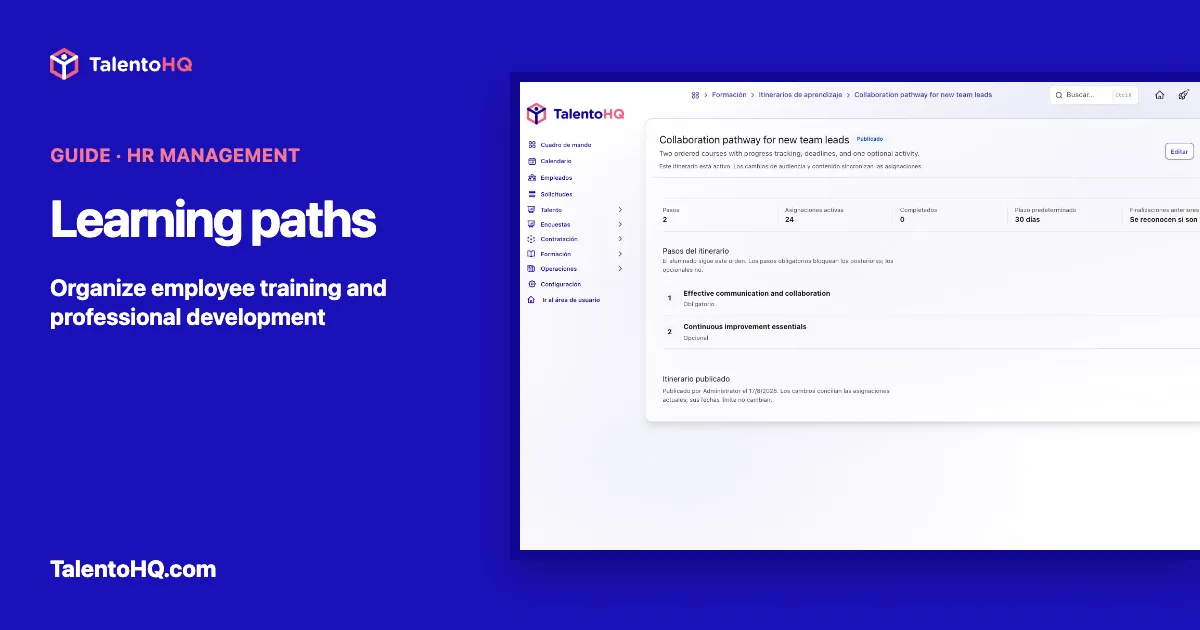
A learning path turns several courses into a journey with a purpose, an order, and visible follow-up. For a small business, that structure helps make onboarding, a role change, or professional development less dependent on scattered links and manual reminders.
The aim is not to accumulate content. It is to decide what a group needs to learn, in which sequence, and by when. This guide explains how to build useful learning paths, how they relate to the rest of training management, and which TalentoHQ boundaries should be understood before publication.
What is a learning path?
A learning path is an ordered sequence of courses assigned to a group of people. It defines a starting point, a set of steps, and a completion condition. It can combine required and optional courses, recognize earlier completions, and set one deadline for the whole journey.
It is not another name for training and does not replace the other parts of the system:
- Training is the wider area: needs, content, delivery, results, and development.
- Course is reusable content published in the catalog. It can contain topics, lessons, resources, and assessments.
- Annual-plan training action describes a planned need: what should be covered, for which group, and with what estimate.
- Event is one delivery of a course, with dates, format, seats, participants, and enrollment rules.
- Learning path connects published courses in an order and assigns them as one journey.
This distinction prevents a common mistake: expecting the path to manage annual planning or the logistics of each event. Its job is to organize the learning sequence. The TalentoHQ training management page explains the broader workflow.
Start with objectives and audience
Before selecting courses, write the intended result in one verifiable sentence. “Understand the company” is too broad. “Understand the core procedures, complete role-specific initial training, and know where to ask for help” makes it easier to select useful steps.
Then define the audience. TalentoHQ can include the whole account or specific entities, offices, teams, and named employees. Exclusions take precedence over inclusions. If someone belongs to an included team but is explicitly excluded, they will not receive the path. Review this carefully when people belong to several groups.
The audience should reflect a real need. A path for new team leads can target people taking on responsibility for others. A technical path may apply only to one office or team. A clear scope reduces exceptions later.
Order courses as a journey
The order should follow learning dependencies, not the date on which material was created. Begin with the minimum context, continue with the practice needed for the role, and place extension or specialist material later.
A TalentoHQ learning path can include published courses only. Drafts are excluded because their content can still change and they are not available to learners. Before assembling the sequence, check that each course has a clear objective, current content, and an understandable completion route. The LMS training feature shows how courses, lessons, assessments, and progress fit together.
Choose required and optional steps
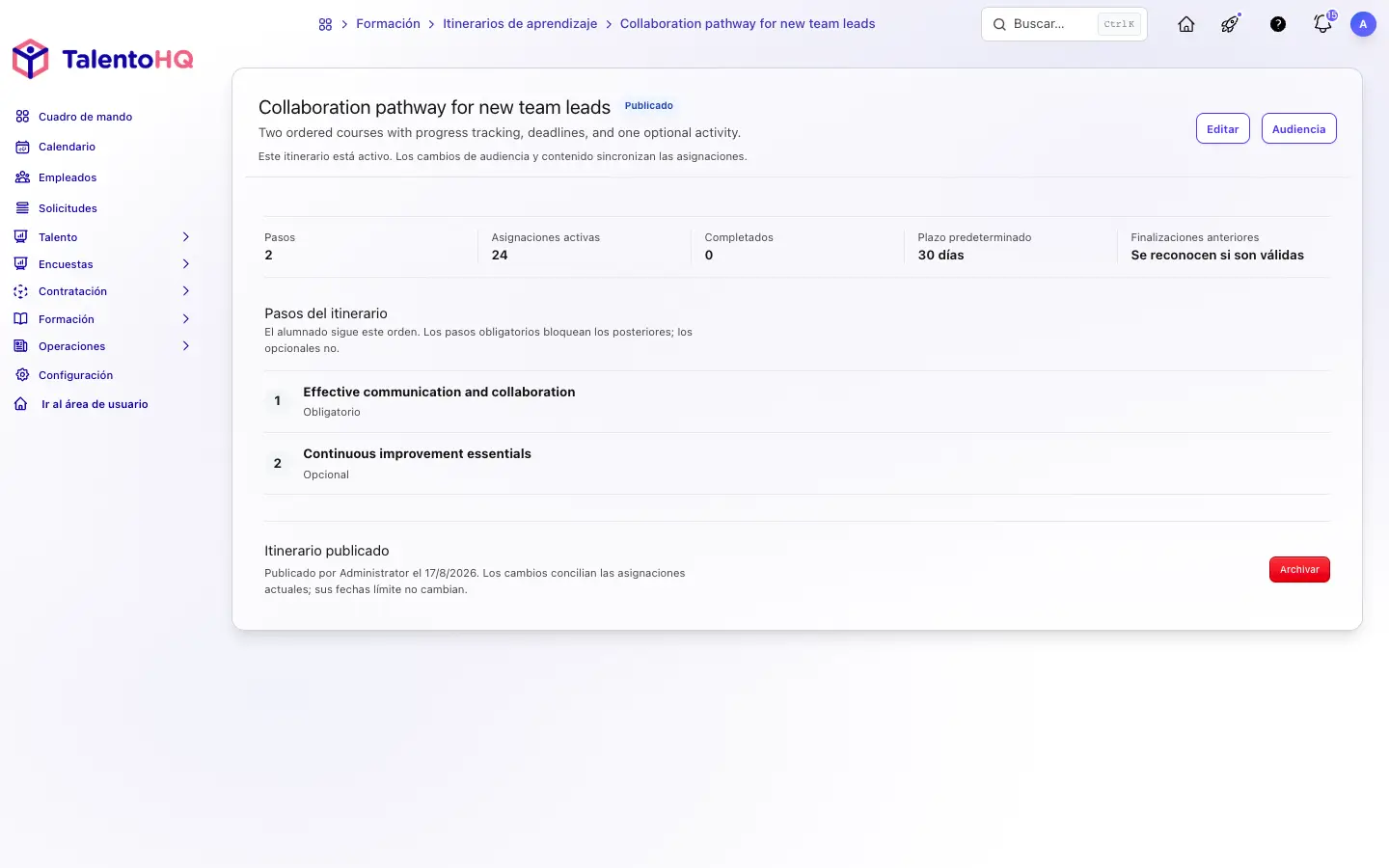
A required step expresses a genuine dependency. Until it is complete, later courses remain locked. That is why every step should not be marked required simply as a precaution: an unnecessary barrier can stop people who are ready to continue.
Optional steps count toward total progress, but they do not lock later steps or prevent completion once all required steps are complete. They work well for deeper knowledge, an additional perspective, or material that is useful only in some roles.
Ask one question: “Is it safe and reasonable to start the next course without finishing this one?” If not, make the step required. If it adds value but is not a prerequisite, it can be optional.
Set deadlines and recognize earlier learning
The path deadline is calculated from the assignment date. It should create focus while remaining compatible with shifts, workload, course length, and event availability. A short deadline with no available event seats creates an overdue item that the learner cannot resolve.
Earlier completions can also be credited. When someone has already completed a course validly, that result may count toward the path and avoid needless repetition. This option does not make every historic record current: the course and completion validity rules still apply.
Publish and check assignment
A draft can be reviewed without assigning it. When the path is published, TalentoHQ creates assignments for active, visible employees who match the audience at that time. Later changes to content or audience reconcile assignments, although existing due dates are not recalculated.
Before publication, check the name, description, order, required status, deadline, completion-credit setting, and audience. Afterwards, compare the assignment count with a sample of included and excluded employees. That short check catches scope errors before they become HR support requests.
To assess this configuration against a real case in your organization, you can request a TalentoHQ demo.
The employee experience
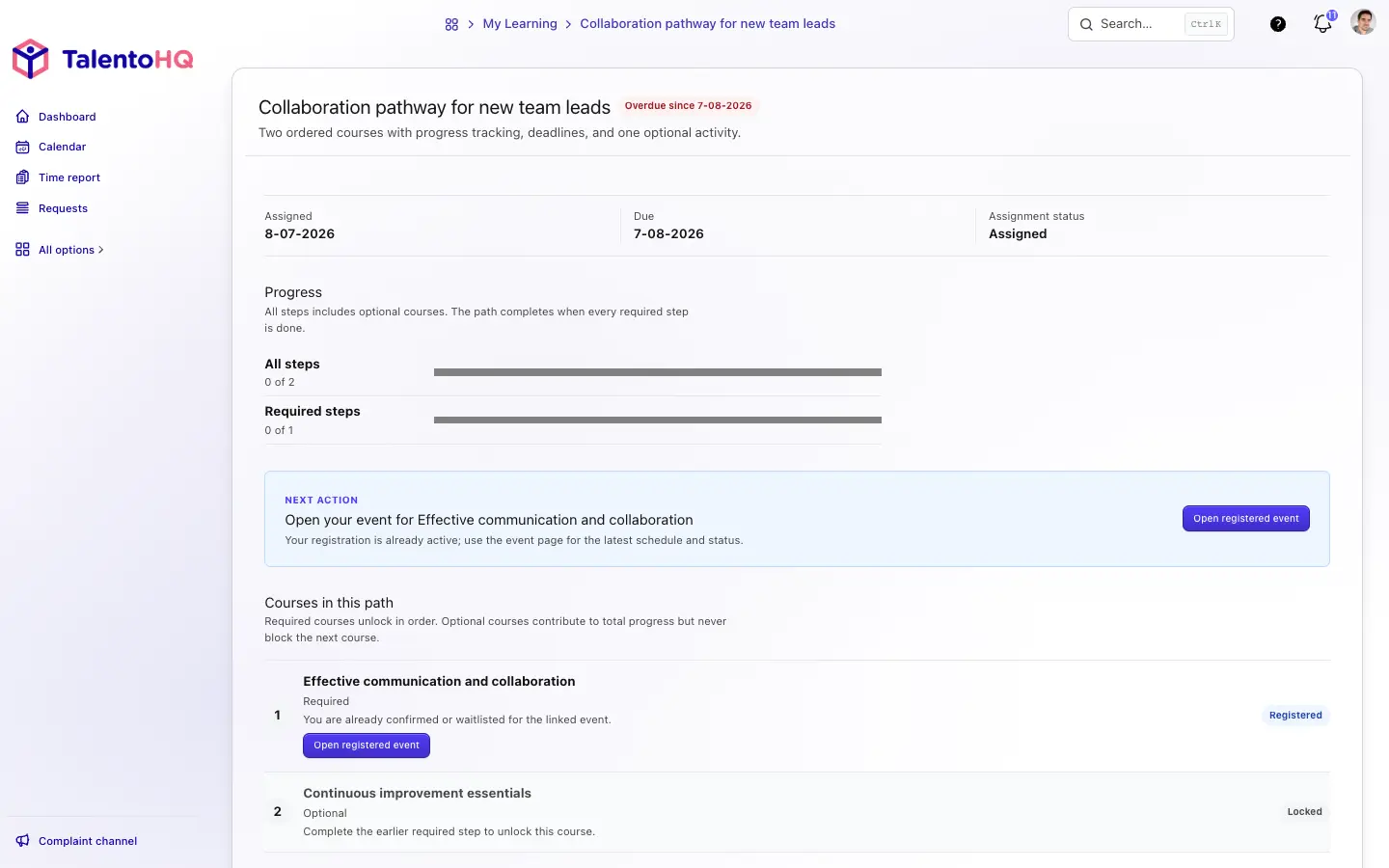
The employee sees an assignment date, a due date, total progress, and required-step progress. The next action indicates which course can be opened. Later steps remain locked while a required course is pending, and optional courses are clearly identified.
When a course depends on an event, the page leads to the relevant session or enrollment. The learning path does not change event visibility, availability type, dates, seats, or enrollment rules. It does not guarantee a place. HR must coordinate the journey with events that are genuinely accessible to the audience.
Manager follow-up without another spreadsheet
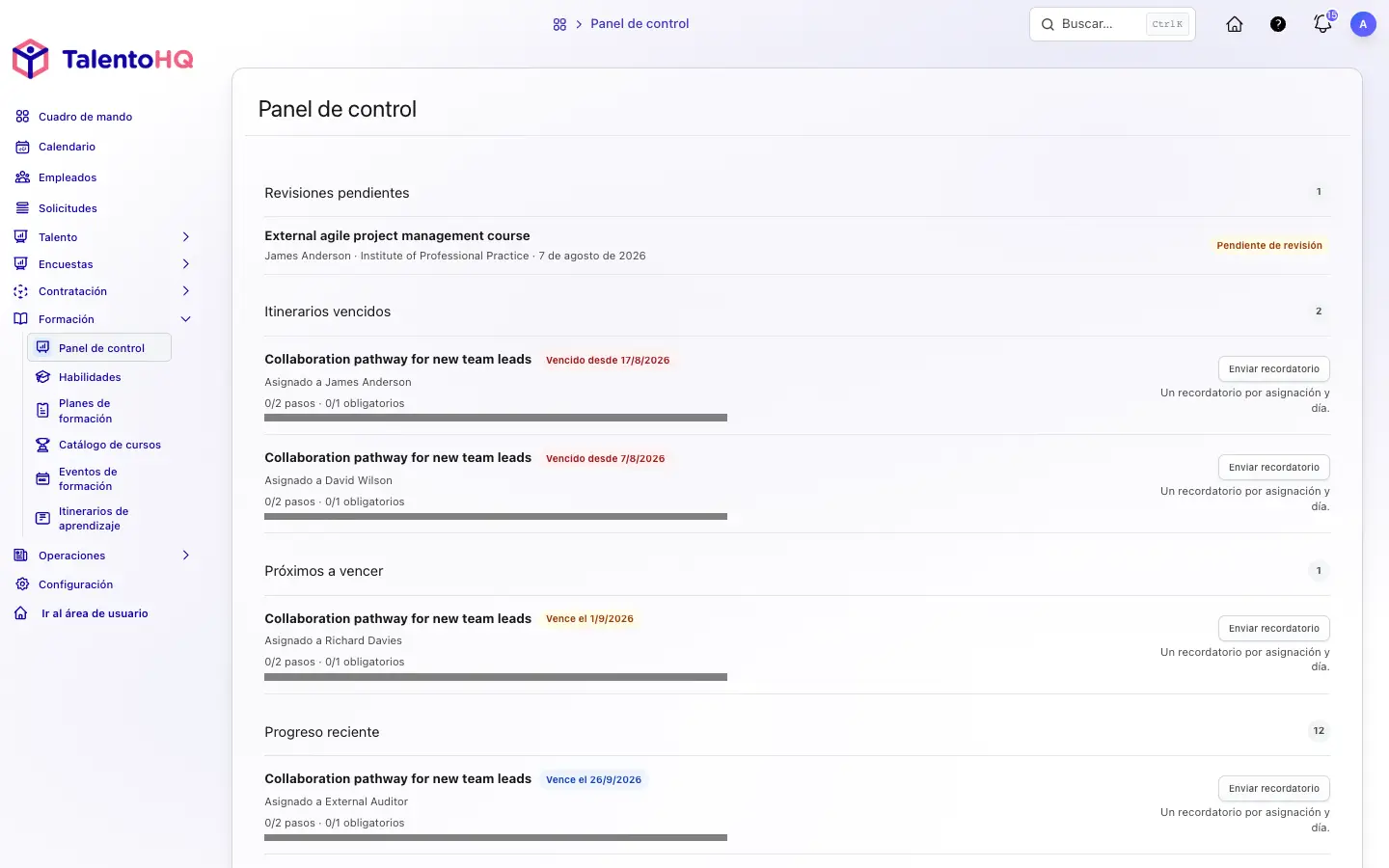
The manager dashboard groups pending reviews, overdue paths, upcoming due dates, and recent progress for the people that manager is allowed to support. It shows completed total and required steps and offers a reminder action where appropriate.
Follow-up should remove obstacles, not merely chase people. If several employees stop at the same step, check whether the content is clear, the event has seats, the deadline is realistic, or a dependency is configured incorrectly. The dashboard shows the state; a conversation helps explain the cause.
Archive without erasing history
When a path is no longer used, archive it instead of removing its context. Archiving stops new assignments and cancels unstarted assignments that no longer belong to the audience. Started and completed assignments remain in the history.
This allows an old journey to be replaced without showing both as active and without losing the record of what each person started or completed.
Four learning path examples for a small business
Onboarding
An initial journey might begin with culture and common procedures, continue with role tools, and finish with team-specific material. Common foundations can be required, while an introduction to other departments can remain optional. The path complements human support; it does not replace it.
Role change
Before taking on new responsibilities, an employee can complete role foundations, procedures, and necessary practice. Credit for earlier courses prevents repetition, while required steps protect genuine dependencies that change with the role.
Recurring training
A path can group periodic content when validity and event availability are coordinated. For occupational safety, an administrative journey alone does not prove compliance or adequacy. The guide to planning and tracking occupational risk training explains how to connect positions, risks, sessions, and results.
Professional development
A journey for future team leads could combine communication, organization, feedback, and continuous improvement. It does not promise promotion or replace practice. It creates a shared foundation for development conversations and observation on the job.
Checklist before publication
- The objective says what the audience should achieve.
- Every course is published, current, and ordered by dependency.
- Only genuine prerequisites are required.
- The deadline accounts for duration, shifts, and event availability.
- Earlier completion credit follows the course validity criteria.
- Audience inclusions and exclusions have been checked with examples.
- Event seats and enrollment rules are compatible with the journey.
- Managers and participants know where to see progress and deadlines.
- There is a rule for archiving or replacing the path.
A journey people can explain and maintain
The best learning paths are clear to the people who design, support, and complete them. They have a limited objective, a reviewed audience, few genuine prerequisites, and courses that are available at the right time.
Progress review reveals obstacles, while archiving preserves history when a journey is no longer current. Those decisions turn a list of courses into an orderly and sustainable learning experience.
Frequently asked questions
Can a draft course be a step?
No. Steps are selected from published courses that are available for assignment.
Does an optional course lock the next one?
No. It contributes to total progress but does not lock later steps or prevent completion when all required steps are complete.
Does the path change event rules?
No. Visibility, availability, dates, seats, and enrollment still belong to the event. A path orders courses; it does not reserve sessions.
What happens when a path is archived?
New assignments stop and relevant history remains. People who already started or completed the path keep that record.