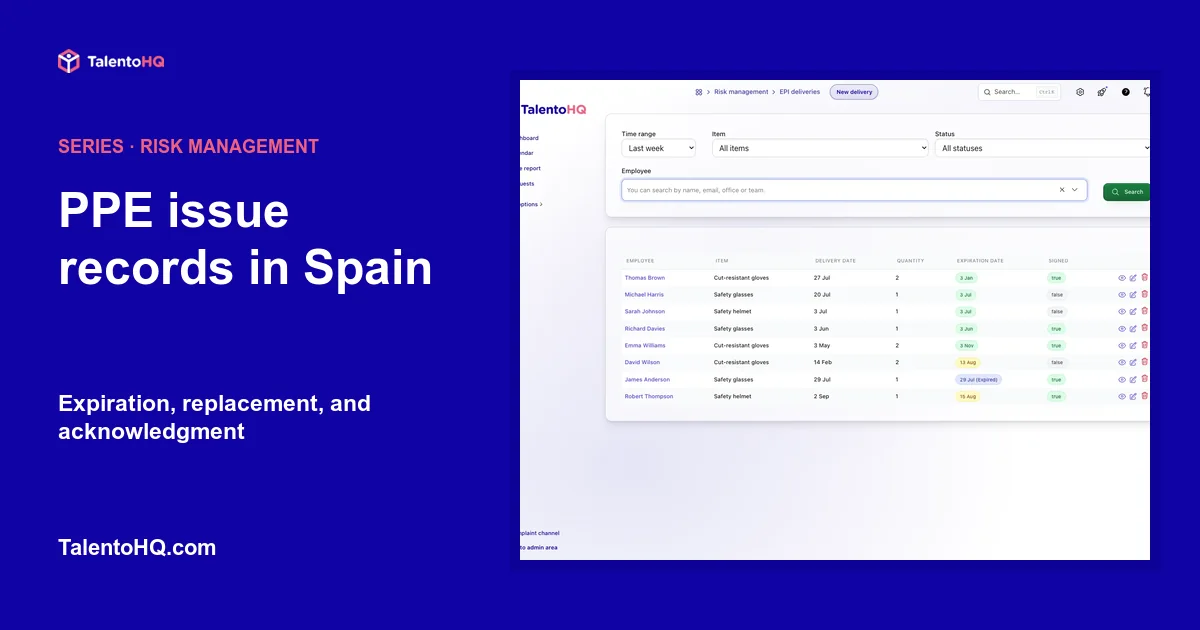
Issuing personal protective equipment does not end when a box leaves the storeroom. The company needs to know which PPE corresponds to each risk, who received it, when it was issued, when it should be inspected or replaced, and what acknowledgment of receipt exists.
A well-organized PPE issue record provides traceability without confusing it with technical equipment selection. TalentoHQ records the issue and its dates. The assessment and professional prevention judgment determine which protection is appropriate.
PPE follows the risk assessment
Spain's Royal Decree 773/1997 regulates the selection, use, and maintenance of personal protective equipment. Individual protection is used when collective protection, work organization, or other measures cannot avoid or sufficiently limit the risks.
The issue record begins after several decisions: an assessment has identified the risk, the need for individual protection has been established, and equipment suitable for the position and person has been selected.
The INSST explains that a risk assessment must precede the decision to use PPE. An application can document issue and follow-up, but it cannot decide on its own which equipment protects against a specific risk.
What a PPE issue record should contain
The structure should make it possible to reconstruct the action without interpreting free-form notes. At a minimum, it is useful to have:
- Recipient. Identifies who receives the equipment.
- Item. A clear name and internal reference when useful.
- Issue date. Establishes when use or availability began.
- Quantity. Distinguishes units, pairs, and replacements.
- Issuer. Helps resolve questions about the action.
- Expiration or inspection date. When required by the equipment, manufacturer, or procedure.
- Acknowledgment. Indicates whether receipt was confirmed through the company's process.
- Necessary notes. Only information relevant to issue and use.
The record retains administrative evidence within a broader prevention system. Information, training, maintenance, and supervision of use remain necessary, and issue alone does not prove that the selected PPE is appropriate.
Prepare the catalog before issuing equipment
Generic names create problems. “Gloves” can refer to equipment with very different performance characteristics. “Helmet” does not indicate the model, use, or service life. The catalog should align with prevention decisions and the company's inventory control.
In TalentoHQ, the selector includes only items in categories configured as PPE. Service life is defined in the catalog outside the occupational risk module. This separates two tasks: maintaining items and recording issues.
Before starting, check:
- That the category is marked as PPE.
- That the name correctly distinguishes the equipment.
- That the configured service life reflects the applicable criteria.
- That the requirements linked to positions are current.
- That administration and occupational risk prevention use the same catalog.
If an item does not appear when creating an issue record, correct the catalog instead of creating a duplicate under another name.
Record the PPE issue in TalentoHQ
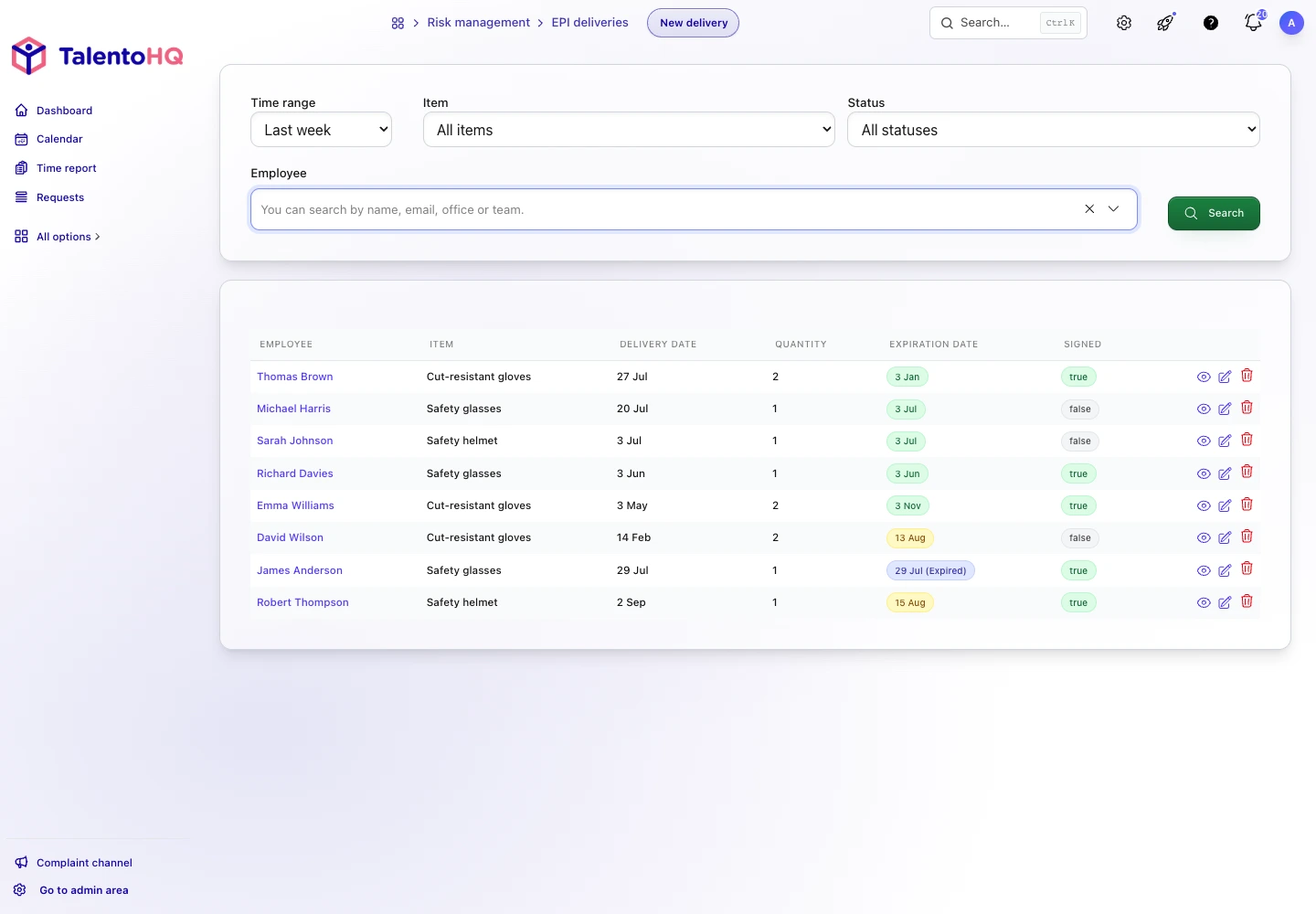
The record lets an authorized user select the person and item, then enter the date, quantity, issuer, expiration date, and notes. When the item has a defined service life and the expiration date is blank, TalentoHQ calculates it from the issue date.
The expiration date is optional. When entered, it must be later than the issue date. The list distinguishes equipment with no recorded date, expired equipment, items due to expire within the next 30 days, and current items.
The list also shows whether the issue is recorded as acknowledged or pending. This status is informational within the module: the occupational risk screen does not contain an action that requests or records a signature. Confirmation must take place through the process established by the organization and then be reflected in the record.
To see the list with statuses, filters, and calculated expiration dates, you can request a personalized demo with no commitment.
Expiration, replacement, and service life are different
An automatic date supports planning, but it should not be used without considering actual conditions. Equipment can need earlier replacement because of damage, contamination, lost performance, or a changed risk. Other items require inspections or maintenance even when they do not have a simple expiration date.
The routine should combine:
- The manufacturer's instructions.
- The assessment and prevention procedure.
- Conditions of use and storage.
- Reviews reported by managers and users.
- The reference date recorded in the system.
When equipment is replaced, create a new issue record. This preserves the history and shows which item replaced the previous one.
How to read PPE issue alerts
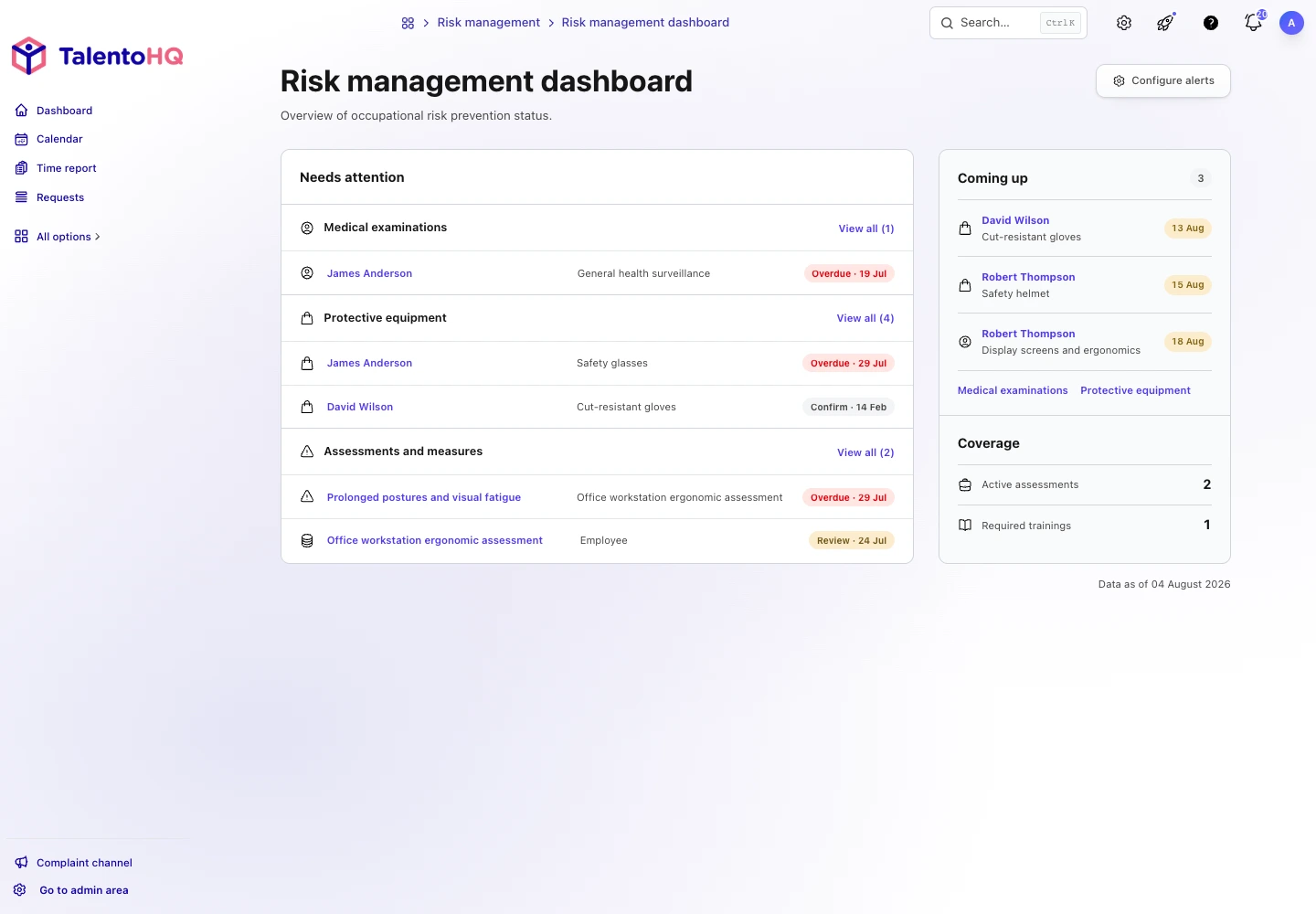
The dashboard includes expired issues and issues without a recorded acknowledgment under Needs attention. Coming up shows those that expire within the next 30 days.
One record can meet more than one condition. The dashboard prioritizes the most urgent status and avoids showing the same record twice in its summary. The link opens the issue so the item, person, and date can be reviewed.
The alert settings save a preferred lead time for PPE, but Coming up currently uses a fixed 30-day window. Saving a value does not send an email or notification on its own. The guide to occupational risk alerts explains how to use these signals without attributing automation they do not perform.
Connect assessments, positions, and equipment
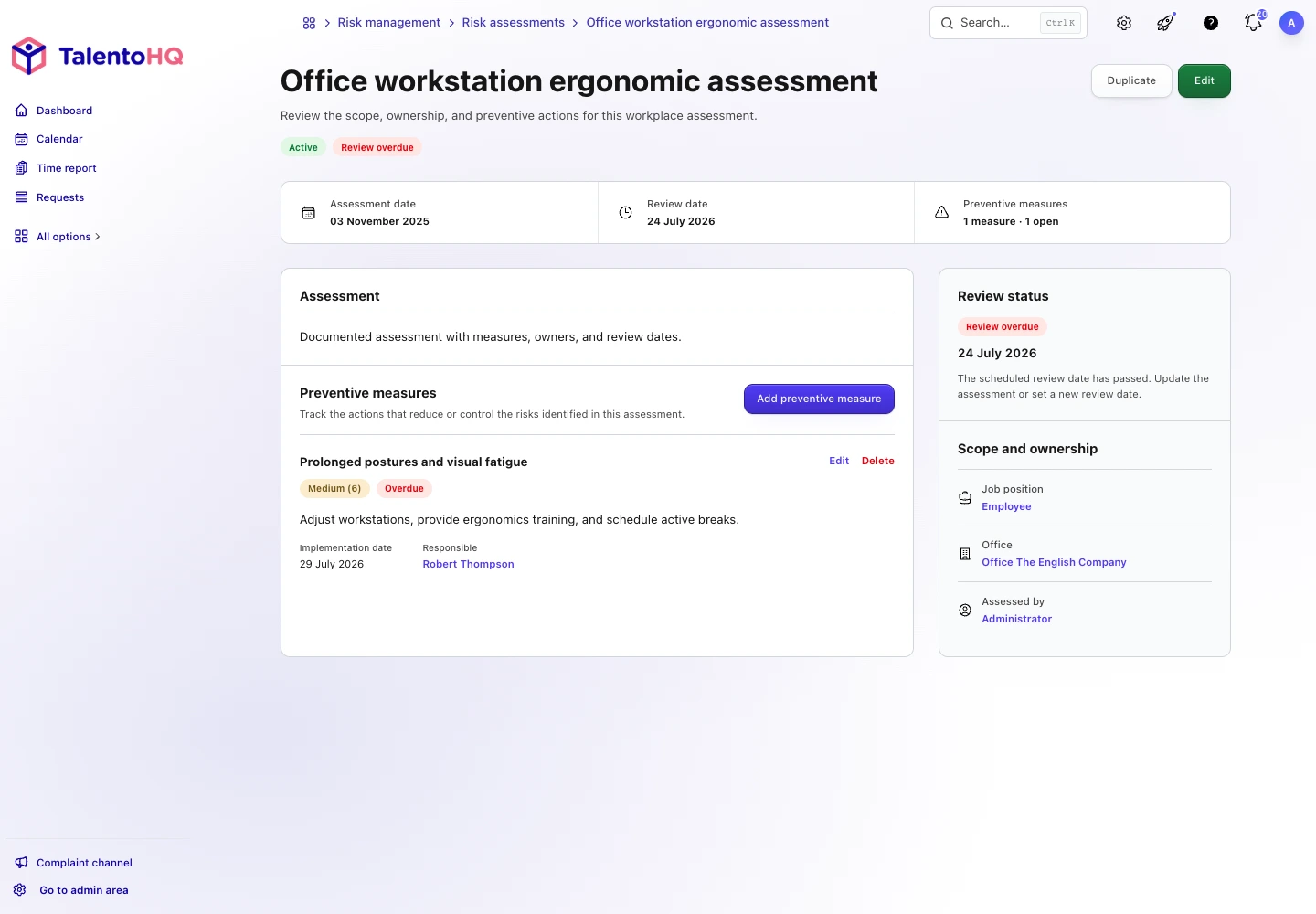
The individual issue is the last part of a chain. The occupational risk assessment identifies the need, the position links requirements, the catalog describes the equipment, and the issue record documents who receives it.
When an assessment changes, review whether required equipment, information, or training also changes. When a person changes position, check whether they need new PPE or should stop using other items.
TalentoHQ shows PPE requirements in the position settings and retains issue records in the occupational risk module. This separation lets one item be reused across several positions without duplicating its record, but it requires coordination between the people who administer the catalog and those who manage prevention.
Common mistakes in PPE traceability
- Creating duplicate items. This fragments history and makes inventory and service life harder to review.
- Using an automatic date without validating it. Replacement also depends on condition and applicable instructions.
- Confusing “pending acknowledgment” with “not issued.” These are different facts and should be investigated separately.
- Marking an issue acknowledged without real confirmation. The status must reflect the company's confirmation process.
- Failing to record replacements. Overwriting the previous date removes traceability.
- Treating issue as a sufficient measure. PPE must be integrated with selection, information, training, maintenance, and supervision.
A routine for replacement and verification
Follow-up improves when the storeroom, prevention team, and managers share a calendar. Before the date arrives, review stock, sizes or models, confirm that the equipment remains appropriate, and prepare the issue without disrupting operations.
After the issue, record the new item and handle the replaced equipment under the procedure. If premature deterioration occurred, investigate conditions of use, maintenance, and storage instead of only recalculating a date.
A quarterly catalog review can find items with no defined service life, old issues without acknowledgment, and positions whose requirements have changed. The dashboard identifies day-to-day priorities; this review improves the underlying data that produces the alerts.
In companies with several locations, agree on who maintains the shared catalog and who records each issue. If every office creates its own names, the same equipment can end up spread across several records. A shared catalog and local record owners maintain consistency without slowing operations.
Frequently asked questions about PPE issues
Why does an item not appear?
The selector includes only items in categories marked as PPE. Review the catalog and avoid creating another record for the same equipment.
Can the expiration date remain blank?
Yes. If the item has a configured service life, TalentoHQ can calculate it. If no simple date applies, the field can remain blank and the procedure should define other controls.
Does TalentoHQ request the signature from this screen?
No. The module shows whether the issue is acknowledged or pending, but it does not start a request or record a signature from this screen. Confirmation is completed through the process established by the company.
What should happen to damaged PPE before expiration?
Follow the prevention procedure and applicable instructions without waiting for the date. Record the replacement as a new issue. The damage may require a review of use, maintenance, or selection.
Does an acknowledgment prove the equipment is appropriate?
No. It documents the confirmation defined by the process. Suitability depends on the assessment, technical selection, and actual conditions of use.
Conclusion: review the issue before equipment fails
The PPE issue record should identify the person, equipment, quantity, date, expiration, and acknowledgment without losing the prevention context that justified the protection.
TalentoHQ highlights issues that need review. The practical action is to check the condition of the equipment, record every replacement, and revisit technical selection when the risk or position changes.
Continue with occupational medical examination tracking and the complete occupational risk management guide for Spanish SMEs.