Never forget to clock in: smart notifications in TalentoHQ

Never forget to clock in: smart notifications in TalentoHQ

Forgetting to clock in at the start or end of the workday is one of the most common mistakes in any company. Whether it's from rushing, distractions, or just habit, this oversight can cause problems for both the worker and the HR department.
We know this, which is why we've integrated a smart notification system that helps remind each employee when they should start and end their time tracking.

In this article we'll explain how they work, what advantages they offer, and how to set them up on your devices so you never miss logging your hours again.


What types of notifications are available in TalentoHQ?

TalentoHQ offers several ways to notify employees when a shift is about to start or end. This way, each person can choose the option that best suits their way of working:

  • Bell (in-app notification): appears in the TalentoHQ interface, ideal if you're working directly on the platform.
  • Email: you receive an email minutes before the start or end of your workday or shift. Perfect for those who constantly check their inbox.
  • Native notifications: messages that appear directly on your computer or phone (just like a WhatsApp or calendar notification). They're fast, visible, and very effective.

Notification example

How to set up notifications

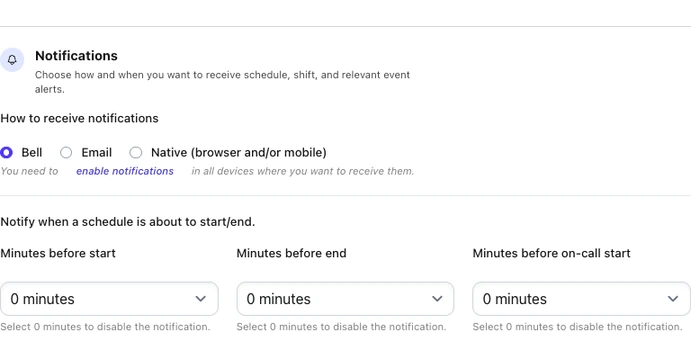
Setting up notifications in TalentoHQ is very simple. Just follow a few steps:

  1. Go to your user profile within TalentoHQ.
  2. Navigate to the Notifications section.
  3. Select how you want to receive them: bell, email, or native notification.
  4. Set how many minutes before the start or end of the schedule you want to receive the alert (for example, 5 minutes before).
  5. Check on each device (computer or phone) that you have notification permissions enabled.
    • In the browser (Safari, Chrome, Edge, etc.) you'll need to accept the permissions request.
    • On your phone, you'll need to allow notifications from the device settings.

Set up notifications

Keep in mind that permissions are independent: if you want to receive alerts on your laptop and on your iPhone, you'll need to enable the option on both.

Native notification permissions

Benefits of receiving clock-in notifications

  • Avoid forgotten clock-ins: the most obvious benefit -- you won't have to worry about not having logged your workday.
  • Time savings: it saves you from having to manually fix clock-ins or ask HR for adjustments.
  • Greater personal control: you know exactly when your workday starts and ends without relying on external reminders.
  • Legal compliance: you help the company comply with current time tracking regulations.
  • Flexibility: you can choose how many minutes in advance you receive the alert (example: receive the reminder 10 minutes before the end of your shift to wrap up your tasks).

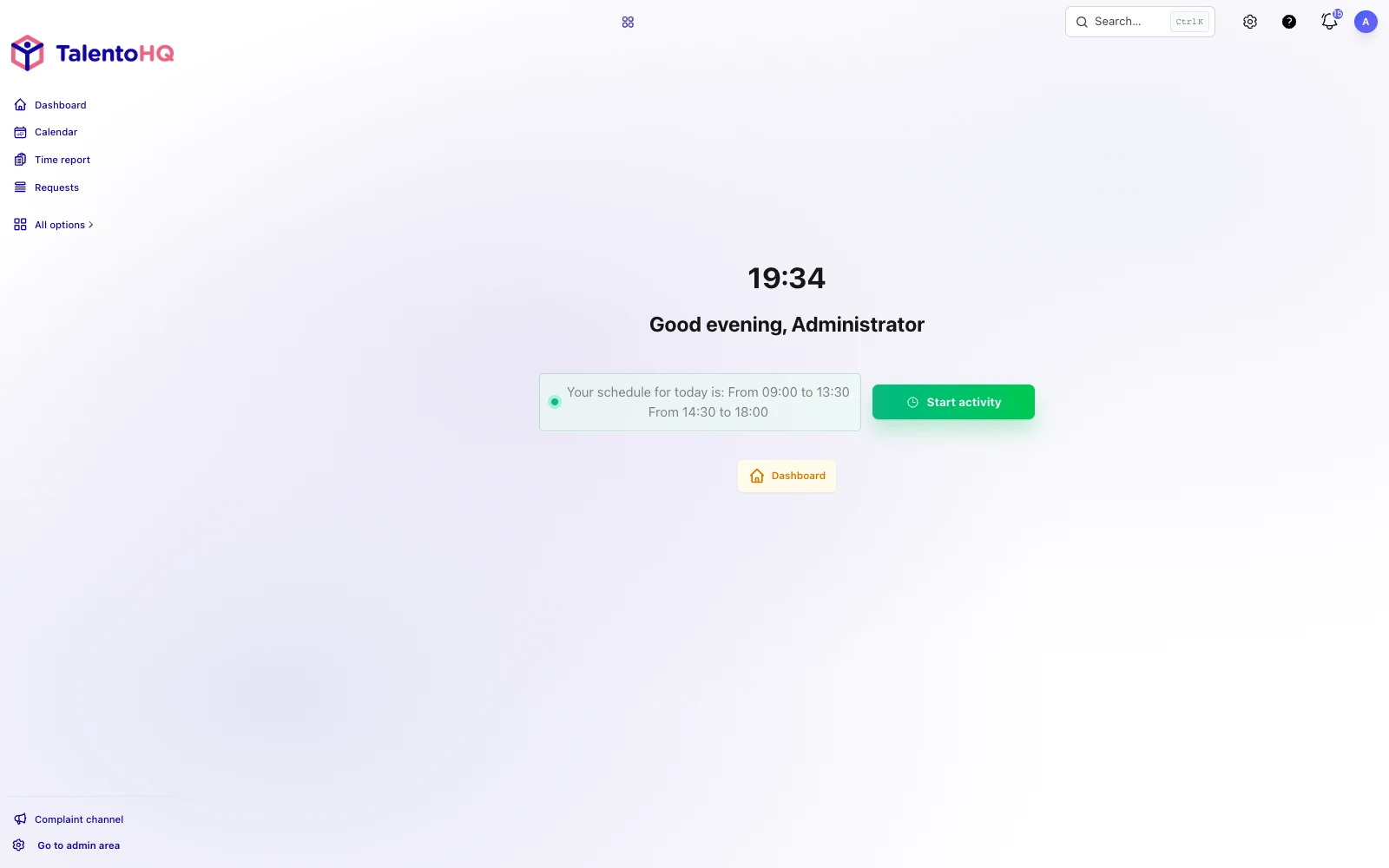
Clock-in start

Clock-in supervision and approval by managers

In addition to employee notifications, TalentoHQ offers tools for team managers and HR that ensure reliable time tracking:

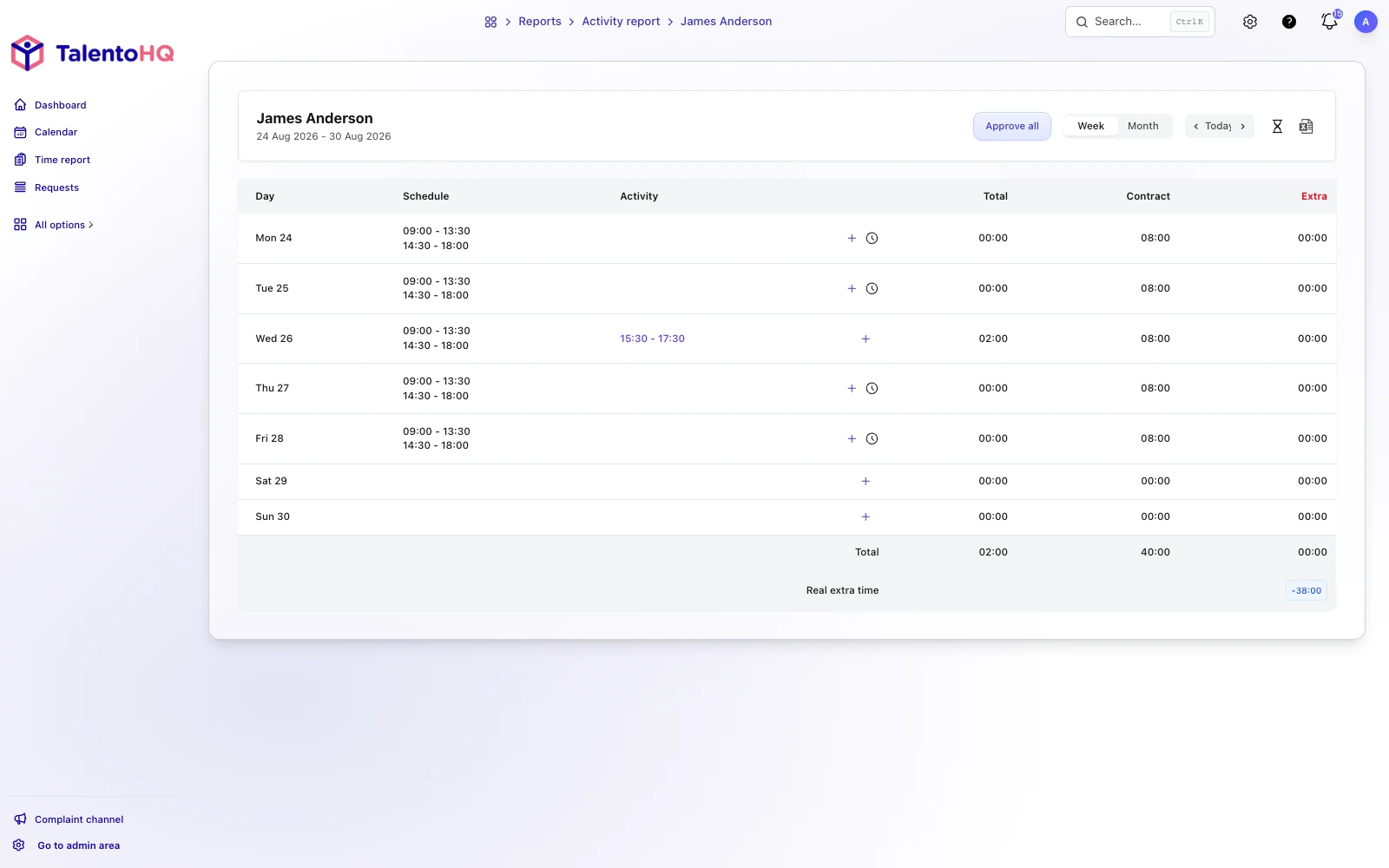
  • Managers can review schedules and activities of their employees from a centralized dashboard.
  • There's the option to approve activities individually or approve all at once.
  • The system automatically alerts when a clock-in at an unusual time is detected, displaying it as Unusual clock-in time.
  • If geolocation is active and configured, it also alerts when a clock-in was made outside the allowed zone.

Review activity log

Automatic unusual clock-in alert

This way, managers have clear and transparent information, simplifying decisions and handle incidents.

How TalentoHQ helps with time tracking and shifts

The notification system is just one part of all the tools TalentoHQ provides for companies and employees.
With TalentoHQ you can:

  • Record the workday digitally, in compliance with regulations.
  • Plan shifts easily, with personalized alerts for each employee.
  • Manage clock-in incidents and resolve them quickly.
  • Centralize all attendance information in one place.
  • Geolocation at both clock-in and clock-out.

This way, both the employee and the HR department have a clear and reliable view of working time, avoiding errors and improving organization.

Conclusion

TalentoHQ's notifications are designed to make sure you never miss a clock-in. Whether through the in-app bell, an email, or an alert on your phone, you'll always have a reminder at hand.
Setting up notifications is quick, takes just a few minutes, and makes a real difference in your day-to-day.

In short, with TalentoHQ you not only comply with time tracking regulations, but you also work in a more organized and stress-free way.
Try our time tracking software free for 30 days, or if you prefer, we can give you a demo with no commitment.