Complete requests
Record the category, date range, partial duration, reason, attachments, and approval status.
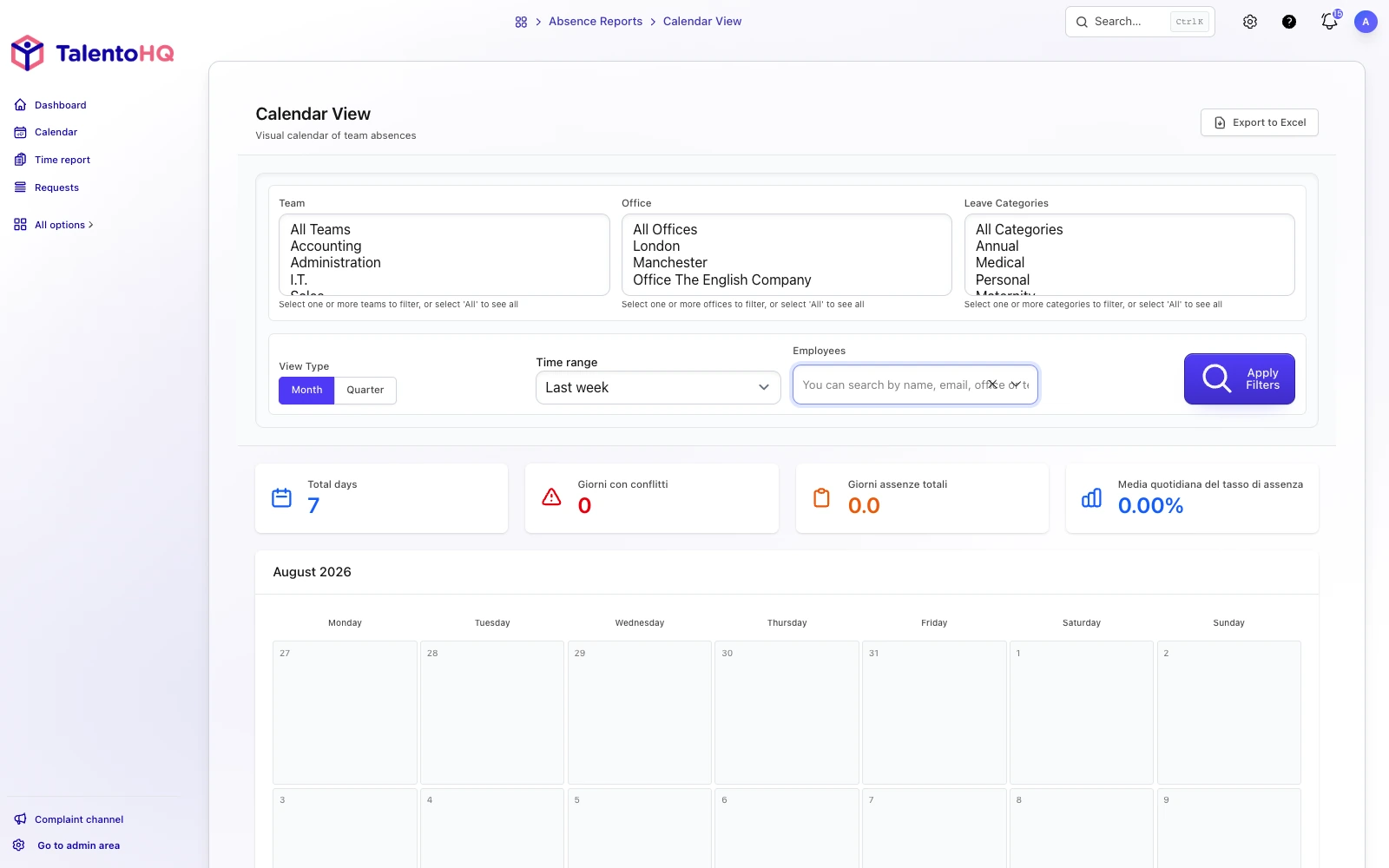
Bring requests, supporting documents, balances, and approvals into an availability calendar. Employees and reviewers can check each request's status and its effect on team planning.
From request to calendar
The workflow connects the employee's request with the reviewer's decision and the team's plan. Vacation, sick leave, hourly leave, and partial-day absences remain documented and visible to the people responsible for organizing work.
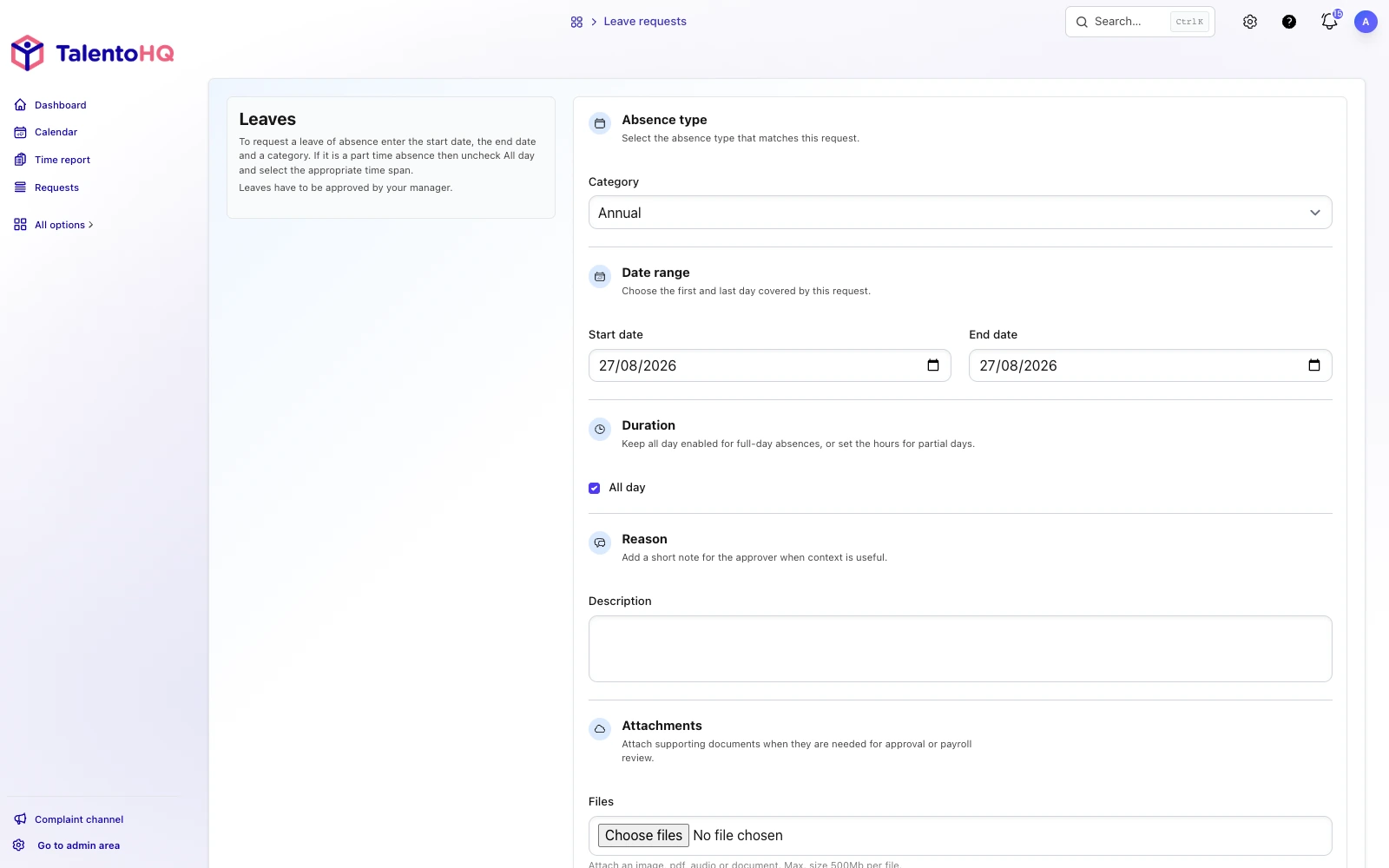
Choose the leave type and dates, full or partial day, optional reason, and supporting files.
Check status, balances, approval history, team overlaps, public holidays, and on-call conflicts where applicable.
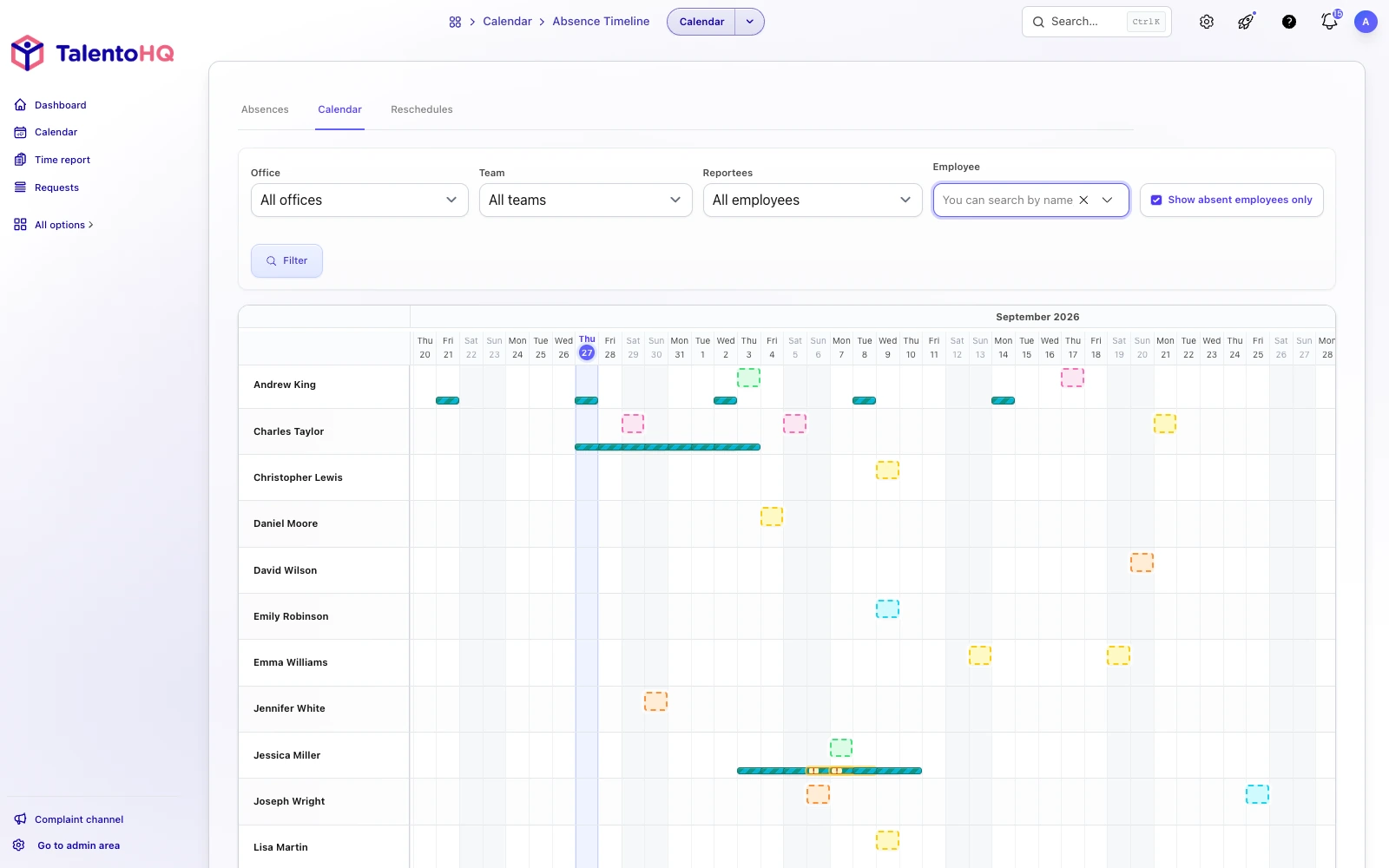
Use the leave calendar, employee timeline, and absent-employee filters to plan coverage.
Core features
Employees use self-service while managers and administrators review requests within their permissions and team scope.
Record the category, date range, partial duration, reason, attachments, and approval status.
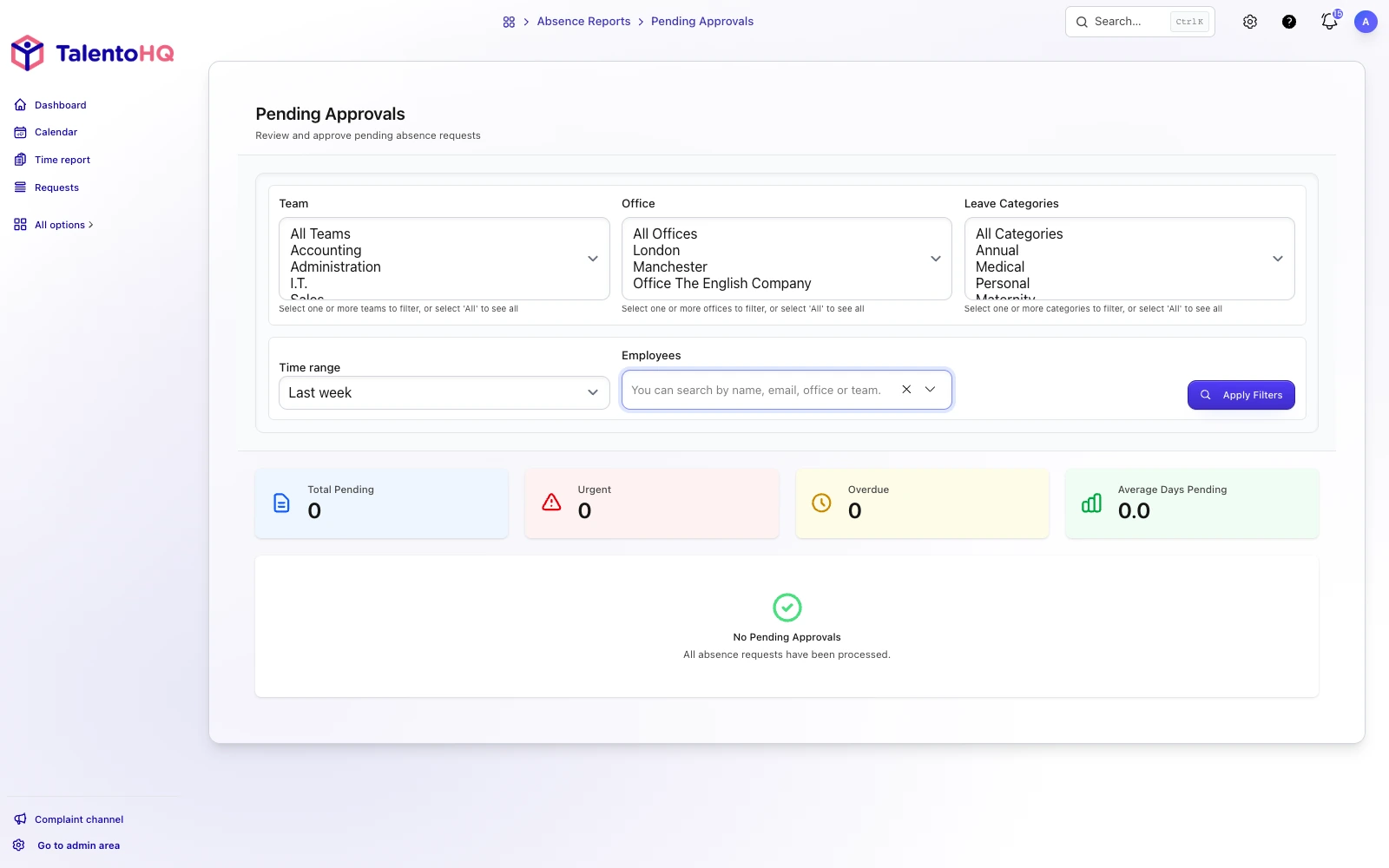
Approve, reject, or reset pending requests with notes and a visible decision history.
Review leave, public holidays, and availability by month and filter to employees who are away.
Configure colors, icons, calendar-day rules, balance deductions, partial-day minimums, and time recovery.
Managers work with their direct reports, while administrators filter by team, office, category, or employee.
Identify team and on-call overlaps so coverage can be reviewed before a request is approved.
Product in context
The request starts in the employee portal and continues in the management area, where reviewers can inspect files, balances, filters, and access. Availability calendars and timelines complete the planning view.
Leave status and coverage
Employees see their request status, while reviewers decide with sufficient context. TalentoHQ keeps the process ordered instead of spreading it across separate messages.
Explore time managementFrequently asked questions
TalentoHQ supports vacation, sick leave, and any other leave category the company configures, each with its own balance, calendar-day, partial-duration, and time-recovery rules.
Yes. A request can cover a full or partial day, with a time range and a category-specific minimum when company policy requires one.
That depends on company permissions and approval rules. Managers and administrators manage only requests within their permitted scope.
Yes. Employees and reviewers can add validated files, including to requests that have already been approved or rejected.
All-Inclusive: €2 per user/month annually, or €3 monthly. Time Tracking: €55/year for 5 users.
Yes. The trial does not require a credit card. You can check how leave requests, approvals and calendars fit your team, or contact us with questions.
AI integration
Employees and reviewers can use natural language to prepare a request, check pending leave, or change a request when dates shift. The action remains connected to the company's categories, periods, statuses, access rules, and approvals.
“Request vacation for Laura from August 12 to 16 in the Vacation category and add family trip as the reason.”
“Show Marta's pending absences in September, grouped by vacation, sick leave, and other leave.”
“Change my October 3 request to 9:00 a.m.–1:00 p.m. instead of a full day.”
Try TalentoHQ or contact us to see how vacation, other leave, calendars, and approvals fit your way of working.