Complete expense record
Name, category, date, total, taxes, reference, description, and supporting files.
Record every expense with its amount, taxes, category, and supporting document. Employees and reviewers can see its status, apply approval rules, and review summaries by period or project.
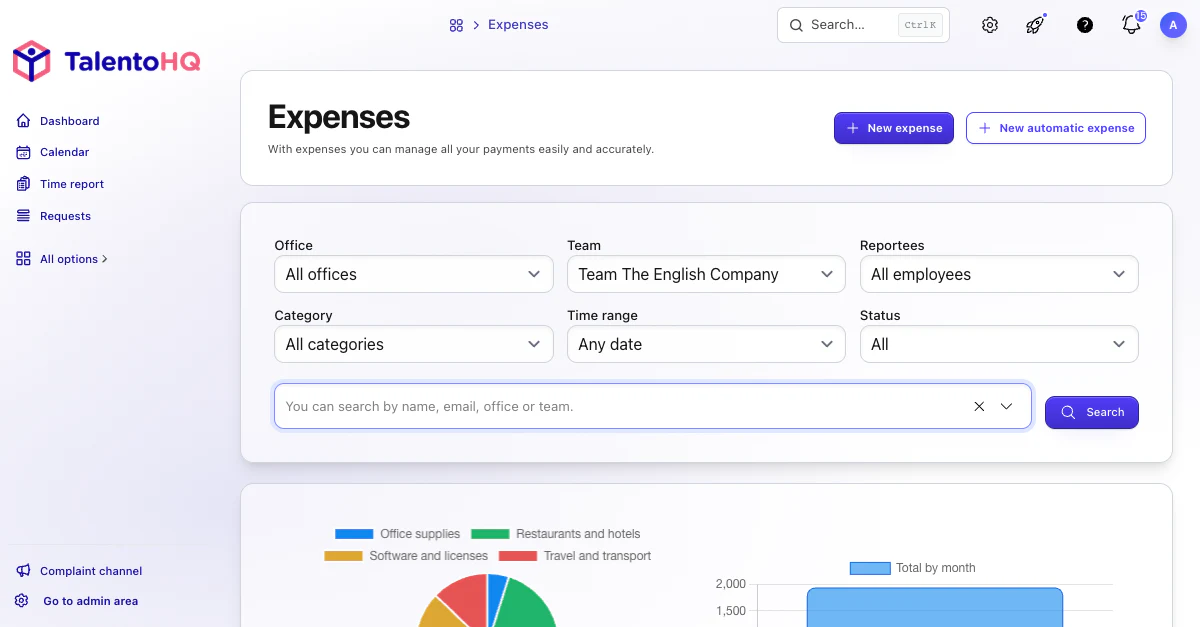
From receipt to overview
The workflow connects expense capture with review and reporting. TalentoHQ stores the name, category, date, total, taxes, reference, description, attachments, and approval history.
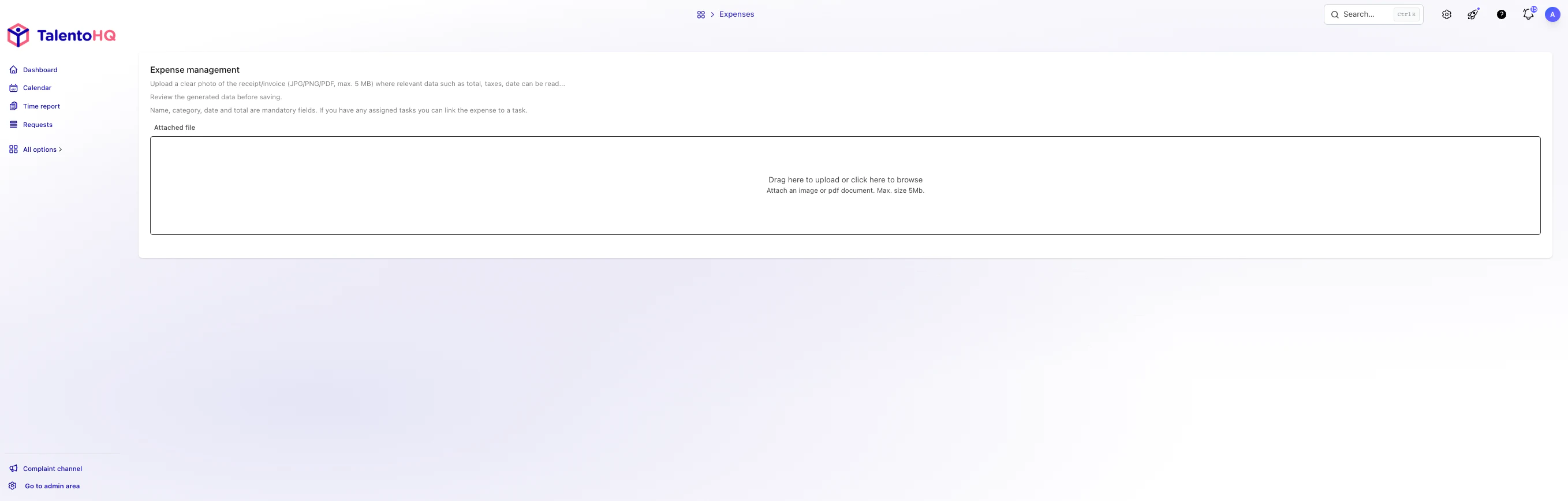
Enter an expense manually or upload a receipt, image, or PDF, then review the proposed data.
Filter by employee, office, team, category, period, and approval status.
Approve or reject an expense with a note when the configured approval rules allow it.
The feature combines expense entry, automated document analysis, filters, summaries, files, and approval for employees and reviewers.
Name, category, date, total, taxes, reference, description, and supporting files.
Upload PNG, JPEG, WebP, or PDF files and check the extracted data before saving.
Link an expense to an accessible task when the work needs an associated cost.
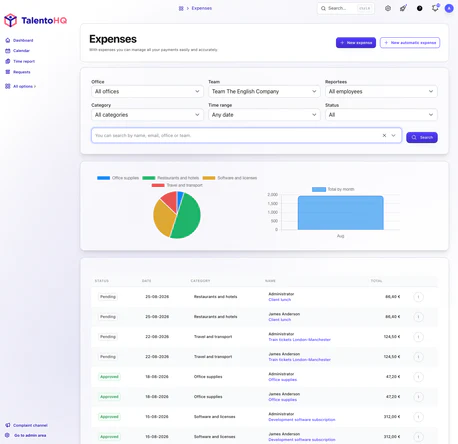
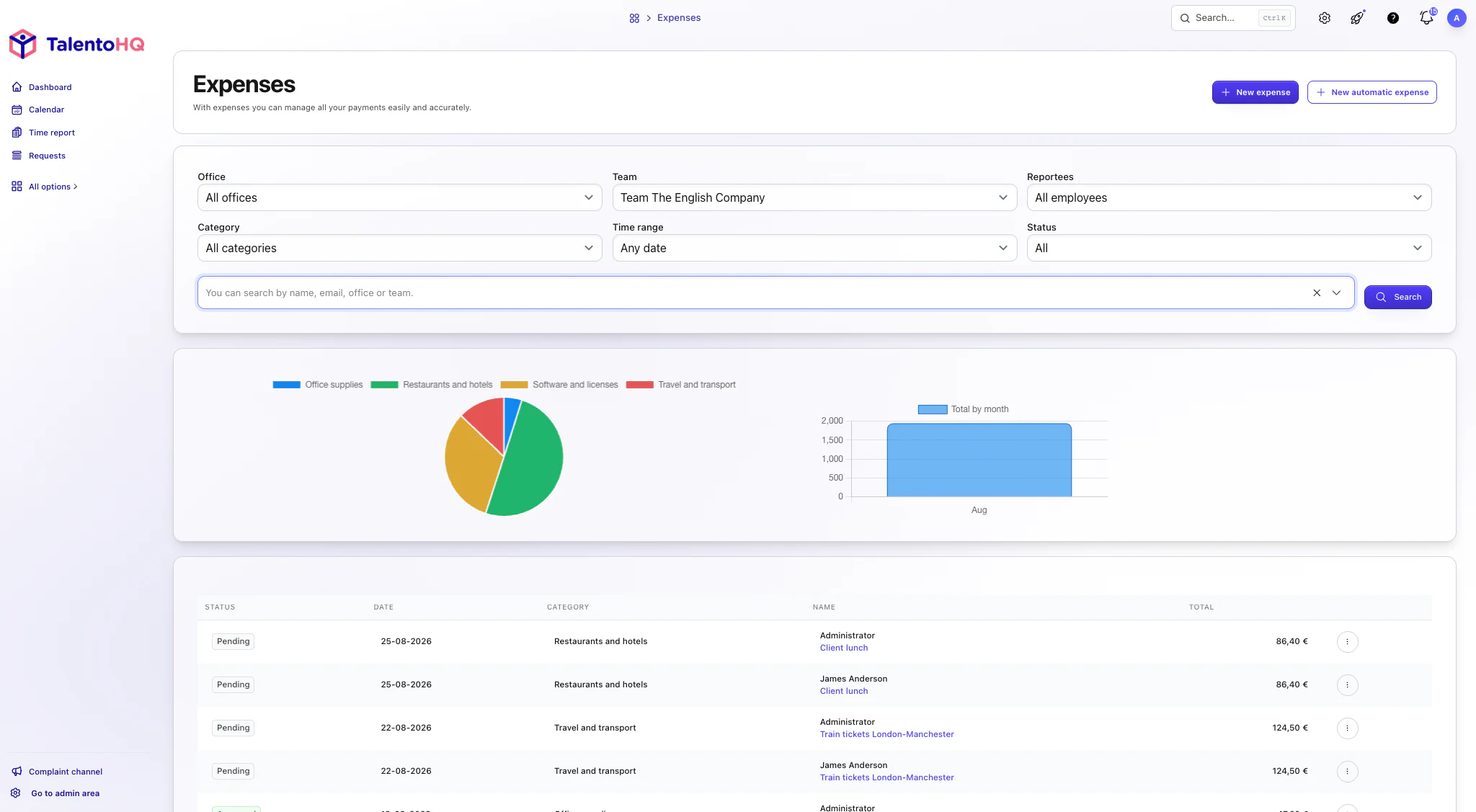
Review status, history, receipts, and approval or rejection notes.
Filter by office, team, direct reports, employee, category, period, and status.
See totals by category, recorded spend, the leading category, and monthly trends.
AI integration
Employees can use natural language to prepare a straightforward expense, check which claims are still pending, or review available categories before submitting. The details remain structured so reviewers can assess amounts, taxes, documents, and status.
“Record Tuesday's €18.40 taxi fare under Transport, including VAT.”
“Show me my pending expenses for this month.”
“Which expense category should I use for a client lunch?”
Employees submit the expense and reviewers see the information needed to decide. Summaries help explain spending by category, project, or period.
An orderly reimbursement process
Employees retain their history, and reviewers assess complete expense records. Status, receipts, notes, and approval history replace disconnected message threads.
Explore resource managementFrequently asked questions
An expense can include a name, category, date, total, taxes, reference, description, related task, and supporting files.
No. TalentoHQ proposes data extracted from the file, and the employee reviews it before saving.
That depends on the configured permissions and approval rules. Eligible approvers see the action in the expense detail.
Expense management is included in All-Inclusive: €2 per user/month annually, or €3 monthly.
Yes. The trial does not require a credit card. Contact us if you have questions.
Try TalentoHQ with your team or contact us to see how expense claims, projects, and approvals fit together.